
Introduction
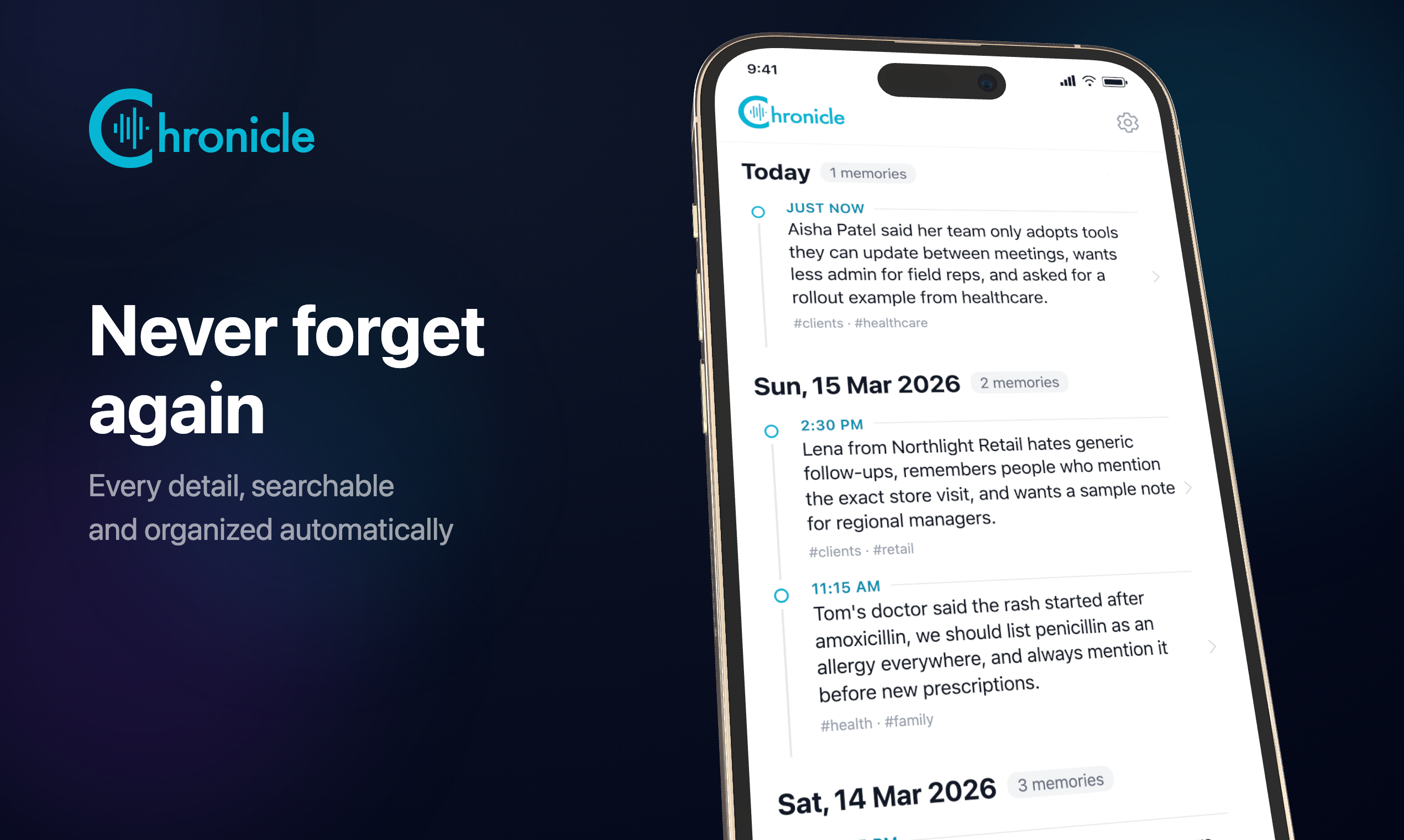
Chronicle is a voice-based personal AI memory app for capturing thoughts, meeting details, facts, and ideas by speaking instead of typing. The public site presents it as a tool for busy professionals who need quick capture, automatic transcription, and later recall through plain-English questions.
The strongest fit is for people whose workday moves too quickly for traditional note-taking: founders, sales professionals, consultants, lawyers, executives, researchers, and other roles that depend on remembering small details. A careful evaluator should still review pricing, privacy terms, supported devices, and transcription behavior before using it for sensitive or regulated information.
Key Features
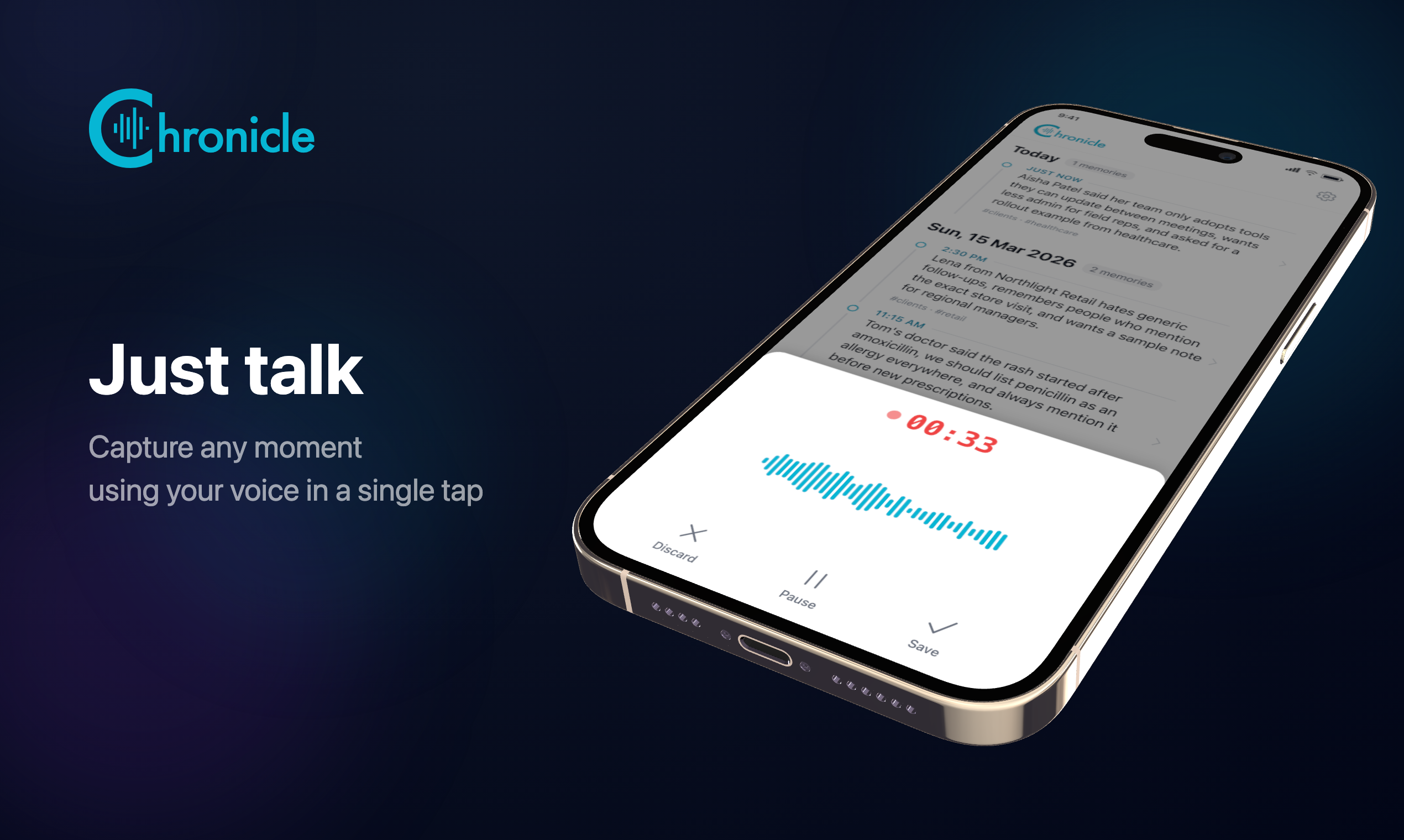
- Voice-first capture for recording notes, meeting details, thoughts, and observations with minimal typing.
- AI-powered transcription and automatic organization of details, people, dates, and action items.
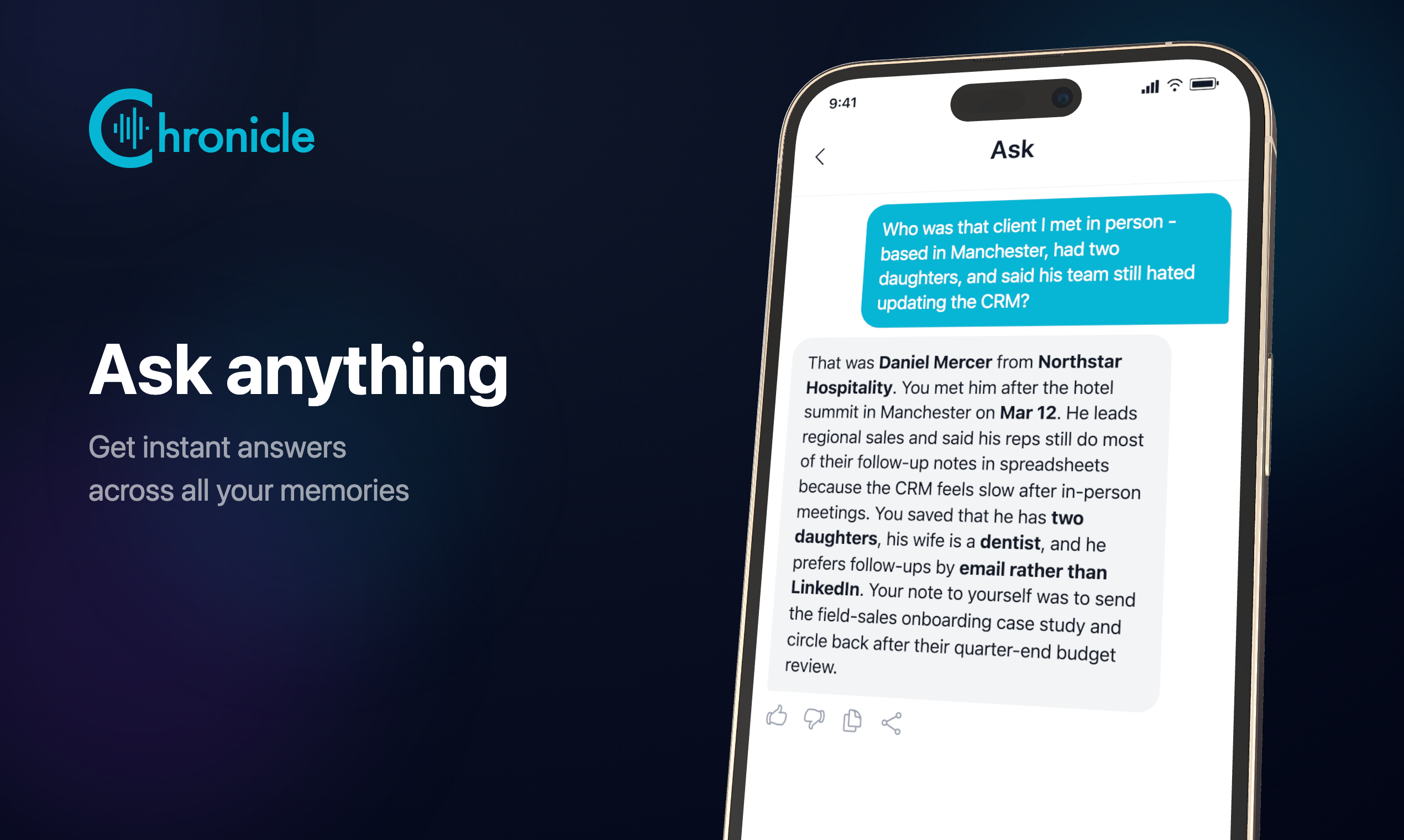
- Plain-English Q&A that lets users ask questions about their saved memories later.
- Cross-entry synthesis that connects information across multiple recorded entries instead of only searching one file.
- Multi-device access with iOS and Android availability, plus sync behavior described on the public site.
- Data export in open formats, offline recording with later sync, and support resources covering billing, privacy, transcription, devices, and technical issues.
Use Cases
Chronicle is useful for professionals who need to capture information immediately after a conversation. A founder can record investor feedback, hiring impressions, or product-decision rationale before the details collapse into a vague summary. The site's founder-focused resource makes this use case especially clear.
Sales teams, consultants, real estate agents, lawyers, and executives may use the same pattern for client preferences, meeting follow-ups, case observations, or relationship details. The product is not positioned as a traditional diary; it is framed as a practical recall system for facts and context that would otherwise be forgotten.
The product also fits people who already use voice memos but struggle to retrieve anything later. Chronicle's value is not just recording audio; it is turning those recordings into a memory bank that can answer questions, synthesize details across entries, and reduce the need for folders or manual tagging.
Pricing
The fetched evidence says Chronicle is available on iOS and Android and is free to try, and the feature list mentions priority support. The support center includes a Subscription & Billing category with questions about cost, free trial, cancellation, refunds, and subscription recognition, but the captured content does not show exact plan prices. Users should check the current App Store, Google Play, or official billing page before assuming long-term cost.
User Experience and Support
The user experience is built around a simple loop: tap record, speak naturally, let Chronicle transcribe and organize the entry, then ask questions later. This is useful for users who need capture to happen during walks, between meetings, while traveling, or at moments when opening a structured note app would add too much friction.
Support information is more visible than on many early product pages. Chronicle has a support center with searchable FAQ areas for subscription and billing, privacy and security, voice and transcription, devices and sync, and technical questions. The site also lists email support at support@chronicle.chat and says the support team typically responds within 24 hours.
Technical Details
Chronicle is presented as a mobile app available for iOS and Android. The site states that it supports offline recording with sync when connected, AI-powered transcription in more than 50 languages, multi-device sync, and open-format export.
The privacy section says data is encrypted in transit with TLS and at rest with AES-256, stored in EU data centers, and not sold or shared. Because memory data can be highly personal, users should read the Privacy Policy and confirm deletion, export, storage-limit, and cloud-processing details before recording confidential information.
Pros and Cons
Pros
- Solves a specific capture problem: remembering details by voice when typing notes is inconvenient.
- Combines transcription, automatic organization, Q&A, and cross-entry synthesis rather than leaving users with raw audio files.
- Provides role-specific positioning for founders, sales professionals, consultants, lawyers, executives, and other busy professionals.
- Offers iOS and Android availability with offline capture and sync described on the site.
- Support center and email support are clearly visible in the fetched evidence.
Cons
- Exact subscription pricing is not visible in the captured evidence, even though billing support topics are present.
- Users working with sensitive information should verify privacy, deletion, retention, and export details before recording.
- Voice transcription quality can depend on audio conditions, accents, and language, so real-world results may vary.
- Chronicle is built for memory recall, not for full project management, shared team notes, or structured knowledge-base workflows.
FAQ
What is Chronicle?
Chronicle is a voice-based personal AI memory app. It lets users record thoughts, facts, conversations, and meeting details by voice, then ask questions later to retrieve relevant information from their memory bank.
Who is Chronicle best suited for?
Chronicle is best suited for busy professionals who need to capture details quickly, including startup founders, sales professionals, consultants, lawyers, executives, real estate agents, researchers, and people who move between many conversations during the day.
How does Chronicle differ from a normal voice memo app?
A normal voice memo app stores raw audio that users often have to replay manually. Chronicle adds transcription, automatic organization, AI-powered question answering, and cross-entry synthesis so users can retrieve details by asking natural questions.
Does Chronicle work offline?
The public page says users can record offline and sync when connected. Anyone who depends on offline capture should test the workflow on their own device and confirm how sync behaves after reconnecting.
What platforms does Chronicle support?
Chronicle is presented as available for iOS and Android, with App Store and Google Play links visible on the site. The fetched evidence does not show a desktop app or browser version.
Is Chronicle private and secure?
The site says data is encrypted in transit with TLS and at rest with AES-256, stored in EU data centers, and not sold or shared. Users should still review the Privacy Policy and support documentation to understand retention, deletion, export, and cloud processing before recording sensitive material.
How much does Chronicle cost?
The public evidence says Chronicle is free to try and includes billing support topics, but it does not show exact plan prices in the captured content. Users should check the current mobile store listing or official pricing information for subscription details.
What should users verify before relying on Chronicle?
Users should verify transcription accuracy in their language and recording environment, pricing, storage limits, export formats, deletion controls, and support expectations. These points matter because the product may hold personal, business, or client-related memories.
Conclusion
Chronicle is a focused personal AI memory system for people who remember best by speaking in the moment and asking questions later. Its public page makes a clear case for voice-first capture, AI recall, and professional use cases where small details matter.
The product is most compelling for users who already feel the limits of typed notes or raw voice memos. Before relying on it heavily, they should confirm pricing, privacy controls, transcription accuracy, and platform fit with their own daily workflow.