
A Template
Introduction
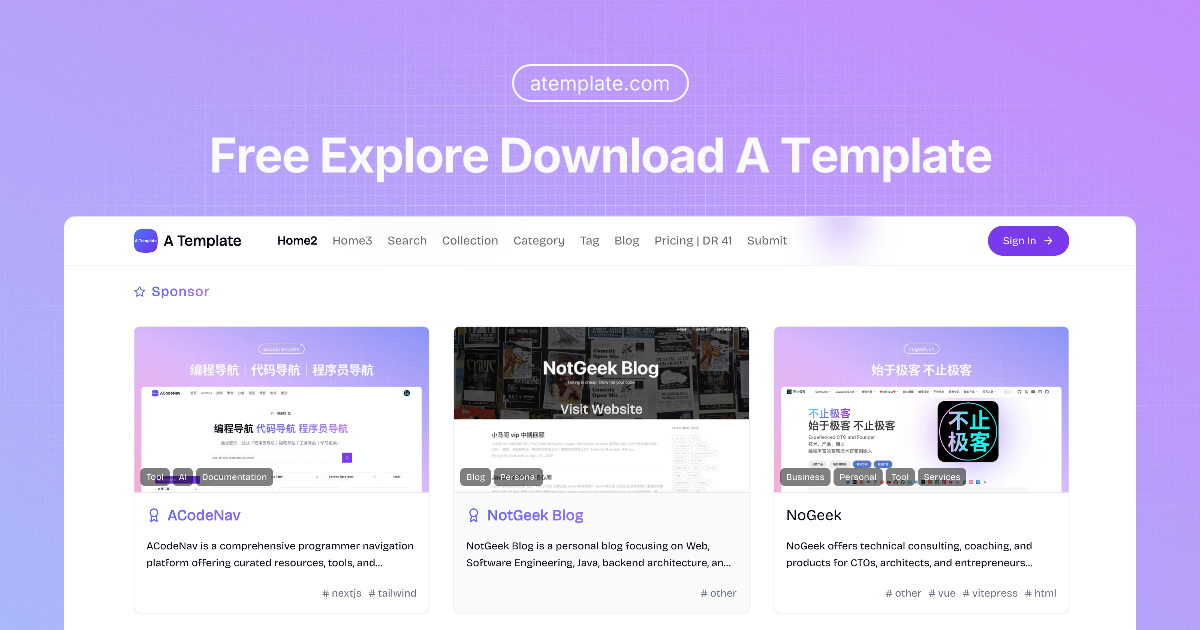
A Template is a directory for free website templates across a wide mix of categories, including product, business, blog, portfolio, ecommerce, dashboard, AI, and tool-focused layouts. It is built for people who want to discover, compare, and download templates without digging through scattered sources.
Key Features
- Large template directory with 1,000+ free listings across 20+ categories
- Search experience for finding templates by type, technology, or use case
- Category and tag browsing for faster discovery
- Featured and latest template collections for browsing new additions
- Submit flow for adding templates to the platform
- Dedicated pricing page and resource sections for additional site navigation
Use Cases
A Template is useful for founders, developers, and marketers who need a starting point for a website but do not want to begin from a blank canvas. The catalog includes layouts for SaaS, business sites, blogs, portfolios, and dashboards, which makes it easier to match a template to the project type.
It also works well as a discovery tool for users comparing frameworks and frontend stacks. Many listings are tagged by technology such as Next.js, React, Tailwind CSS, Astro, Vue, Hugo, and Laravel, so visitors can narrow their options based on the stack they already use or want to adopt.
For template creators, the platform can also function as a visibility channel. The submit option suggests that independent makers can place their work in front of an audience already looking for downloadable templates.
Pricing
The site prominently emphasizes free website templates, and many listings are labeled as free. A separate pricing page exists, but the homepage content shown here does not provide a detailed paid plan breakdown, so pricing should be reviewed directly on the site before making assumptions.
User Experience and Support
The experience is straightforward and directory-like. Users can browse by category, tag, featured content, or latest additions, which reduces the friction of searching through a large template catalog. The interface appears designed for quick scanning rather than deep product storytelling.
Support details are limited on the homepage, but the site does surface contact and community entry points through social links and a support email address. That is enough for basic follow-up, though the visible page content does not describe a formal help center or documentation system.
Technical Details
The listings reveal a broad mix of implementation stacks, with examples such as Next.js, React, Tailwind CSS, Astro, Vue, Nuxt, Hugo, Laravel, and TypeScript. That makes the directory useful for developers who want templates aligned with a preferred framework or component stack.
The platform itself also appears to organize content by category and tag, which helps structure the catalog for both browsing and search. Beyond that, the visible homepage does not expose deeper technical architecture details about the directory site itself.
Pros
- Broad selection of free templates across many site types
- Clear browsing paths through search, categories, and tags
- Useful for both no-code browsing and developer-focused stack selection
- Includes recent and featured collections for easy discovery
- Accepts submissions, which can keep the catalog fresh
Cons
- Pricing details are not fully explained on the homepage
- Support information is fairly limited in the visible content
- The catalog format may feel repetitive for users seeking in-depth product reviews
- Some listings may require visiting individual pages for full context
Conclusion
A Template is best understood as a practical directory for finding free website templates by category and stack. It is especially helpful for users who want a quick way to shortlist options for SaaS, business, blog, portfolio, or dashboard projects. If you need a template starting point and prefer a searchable catalog, it is a useful place to begin.