
TabMate - The Competitor Research Copilot
Introduction
TabMate is a research workspace built for B2B product marketers who need to turn scattered competitor notes into usable output. Based on the public site, it is designed to help teams capture evidence from competitor pages, reviews, buyer threads, and saved notes, then convert that material into briefs, battlecards, and messaging drafts.
The product is positioned around a familiar problem: research often gets lost across too many tabs, disconnected notes, and chat sessions that reset context. TabMate tries to keep the source material, the project context, and the next writing step in one place so recurring GTM research feels less fragmented.
Key Features
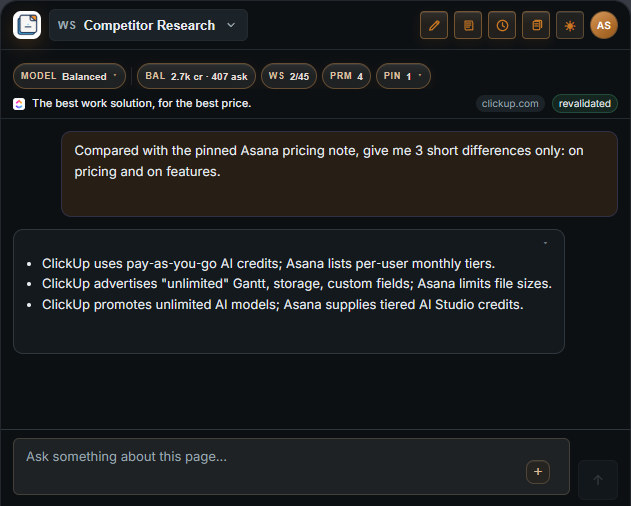
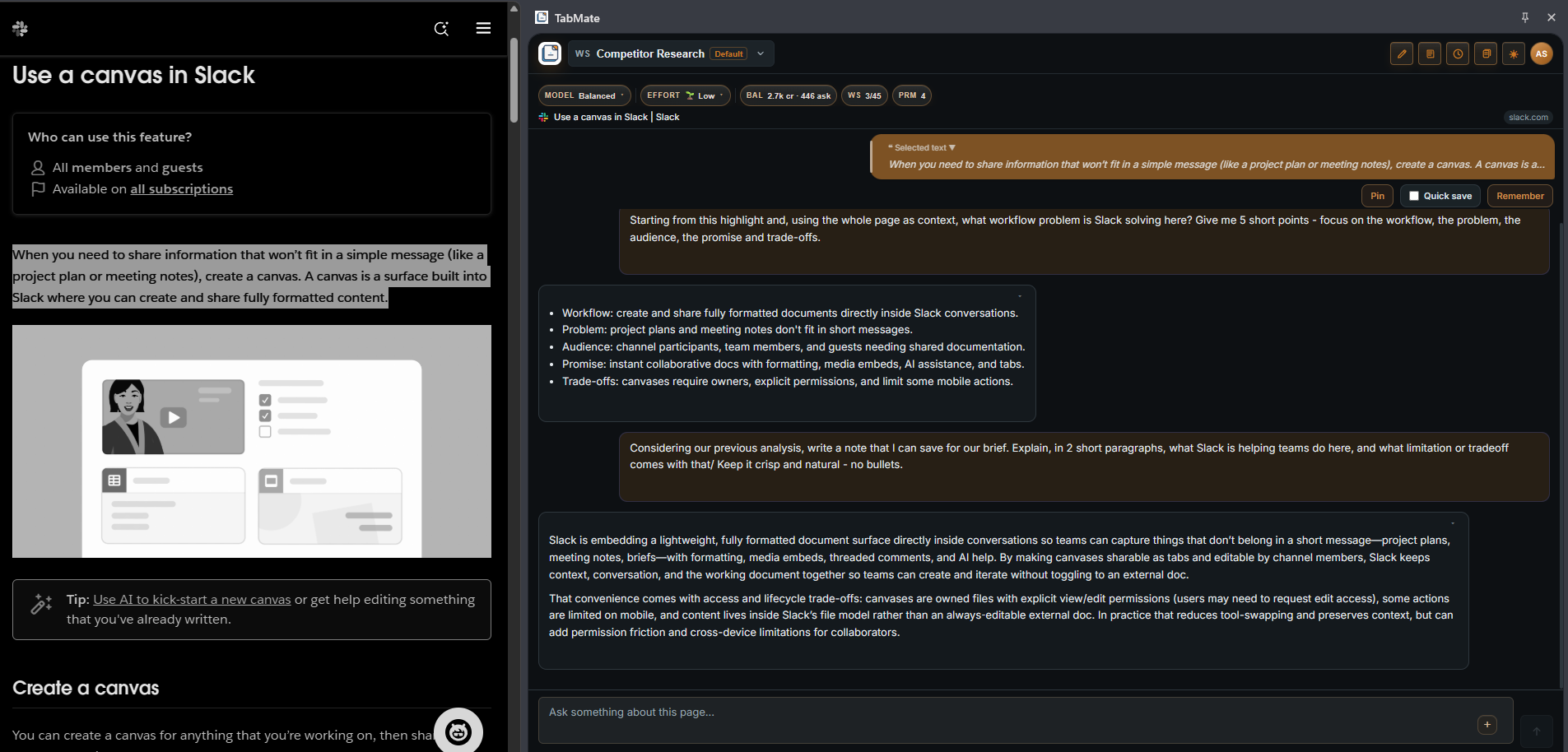
- A sidebar workflow that lets users capture evidence while browsing a page, review thread, or document.
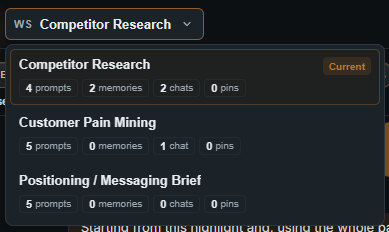
- Workspace-scoped research so competitor analysis, voice-of-customer notes, and messaging work stay separated.
- Support for turning saved excerpts and notes into repeatable outputs such as briefs, battlecards, and messaging drafts.
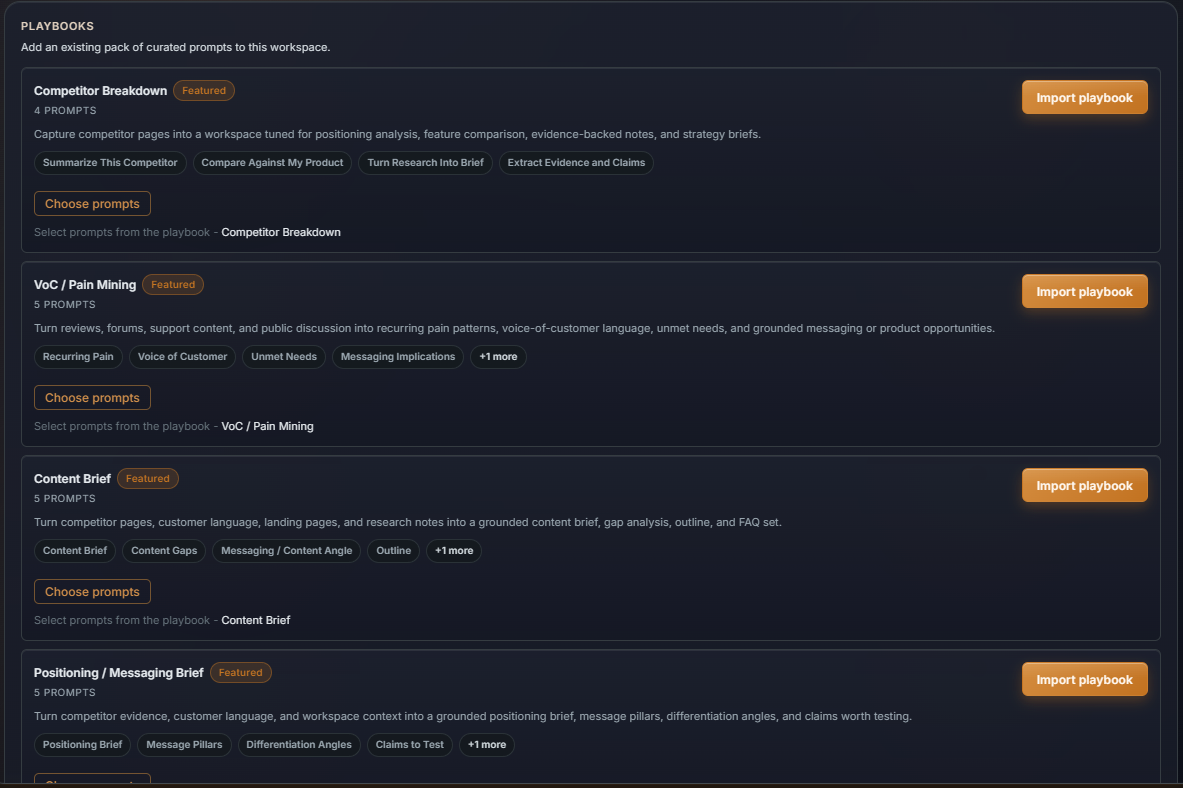
- Repeatable playbooks for recurring research jobs, including competitor breakdowns, pain-language mining, and messaging reviews.
- A workflow built around live page context rather than relying only on memory or disconnected summaries.
- Account-level storage for notes, excerpts, summaries, conversations, prompts, and related workspace content across sessions.
Use Cases
TabMate is most useful for product marketers and GTM teams that do regular competitor monitoring. If a team needs to collect pricing details, product claims, feature gaps, and positioning cues from multiple competitor sites, the platform appears to provide a more structured place to keep that evidence tied to a specific project.
It also fits voice-of-customer research. The site specifically mentions collecting exact customer language from reviews, forums, and support threads, then organizing that material into a reusable bank of pains, objections, and desired outcomes. That makes it relevant for teams shaping positioning, messaging, and objection handling.
A third use case is drafting internal deliverables from previously captured evidence. Instead of restarting from a blank page each time, users can reuse saved context to create comparison briefs, messaging notes, content briefs, and related GTM outputs. The value here is less about one-off summarization and more about keeping repeated research work cumulative.
Pricing
The public site content does not clearly expose pricing tiers, subscription plans, or trial details in the fetched evidence. There is a visible early-access call to action and an option to install on Chrome, but anyone evaluating cost would likely need to join early access or review additional product materials before making a pricing comparison.
User Experience and Support
From the available page copy, TabMate appears to be centered on a sidebar experience that works beside the page a user is actively reading. That suggests a workflow designed to reduce context switching, especially for researchers who are already moving between competitor sites, review pages, and internal notes.
Support details are only partially visible. The site references FAQ, privacy policy, and a security overview, which suggests some supporting documentation exists. It also mentions that users can delete notes, clear workspace content, or delete an account from settings, which adds useful clarity around control and data handling. However, direct evidence of live chat, onboarding calls, or response-time commitments is not clearly exposed in the source material.
Technical Details
The public site shows that TabMate can be installed on Chrome, which points to a browser-based workflow. The product is described as using the current page as evidence for user questions and as capturing page context for product workflows without passively scanning background tabs or browsing history.
The site also states that notes, excerpts, summaries, conversations, prompts, memories, and related workspace content are stored in the user account so work can continue across sessions. In addition, requests that generate responses are sent through an LLM API provider. Beyond those statements, the public evidence does not clearly disclose the broader technical stack, API model, or integration depth.
Pros and Cons
Pros
- Built around a clear and practical workflow for competitor research in B2B SaaS.
- Keeps research evidence tied to the source page instead of separating it into generic notes and chats.
- Distinguishes between different research contexts through workspace separation.
- Supports repeatable playbooks for recurring GTM research tasks.
- Provides visible transparency about what it reads, stores, and allows users to delete.
Cons
- Public pricing information is not clearly visible in the available page content.
- The full range of support channels and onboarding options is not clearly described.
- Technical details are limited, so deeper evaluation may require direct access or early access enrollment.
- The public site emphasizes workflow benefits, but advanced feature depth is harder to judge from the visible content alone.
Conclusion
TabMate presents itself as a focused competitor research copilot for product marketers who need to gather evidence, preserve context, and turn recurring research into practical GTM output. Its strongest visible differentiator is the way it keeps browsing, note capture, and draft creation connected inside a workspace rather than spread across tabs, docs, and disconnected chat sessions.
For B2B teams that repeatedly build battlecards, competitor breakdowns, and messaging drafts, that workflow could be more useful than ad hoc research habits. At the same time, buyers who need full pricing, deeper technical documentation, or a complete support picture will likely need to review additional materials beyond the public landing page.