
Tickari
Introduction
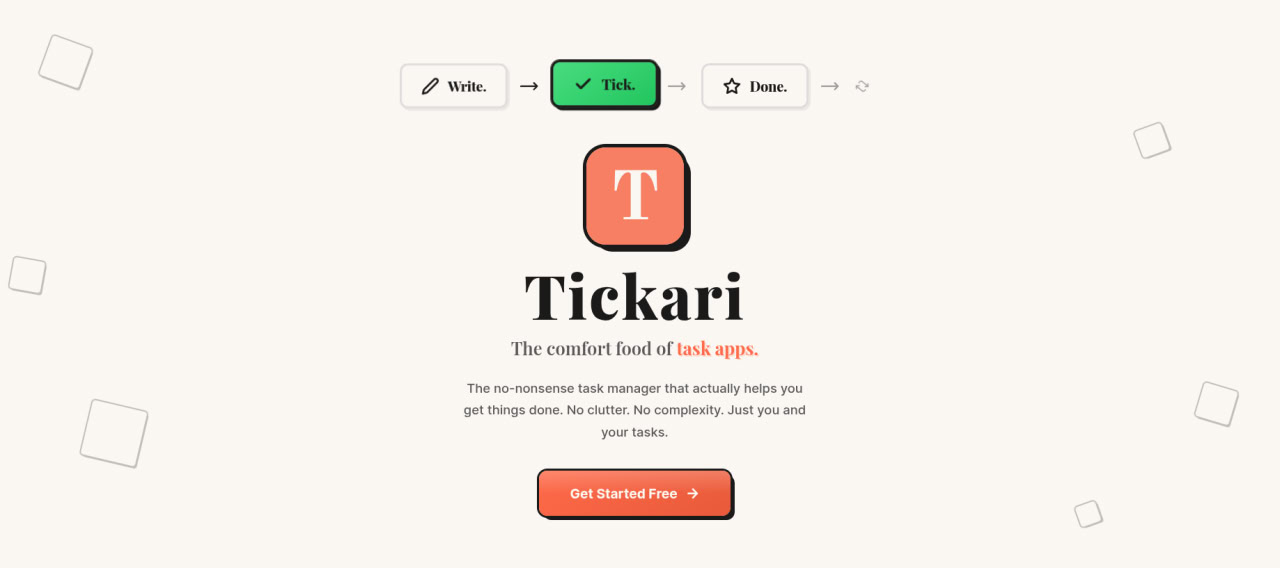
Tickari is a minimal task manager built for people who want a faster, calmer way to keep track of work. Its homepage positions the product around simplicity, with a clear focus on writing tasks, ticking them off, and moving on without extra clutter.
Key Features
- Minimal task management centered on adding tasks and checking them off
- Kanban-free, low-friction interface that avoids the usual complexity of productivity apps
- Doodle-first visual style with chunky borders and a playful, paper-like look
- Immediate start with no onboarding flow or long setup process
- Free plan entry point with a clear upgrade path to a Pro profile page
- Custom subdomain option for Pro users who want a personal corner of the internet
Use Cases
Tickari fits users who want a lightweight place to capture everyday to-dos without managing a heavy system. It is a practical choice for people who find full project tools too busy and simply want a list they can act on quickly.
It also works well for anyone who prefers a more visual, personality-driven task app. The site leans into a fun interface while still keeping the workflow straightforward, which makes it a reasonable fit for solo work, personal planning, and simple task tracking.
For users who want a little more presence, the Pro tier adds a custom subdomain and a shareable profile page. That makes the product feel like both a task app and a lightweight personal page for notes or public-facing content.
Pricing
Tickari offers a free start with no credit card and no trial friction, according to the homepage. A Pro option is also available for users who want custom subdomains and a more personalized setup, but the public page does not spell out full pricing details.
User Experience and Support
The experience appears intentionally simple. The product emphasizes quick task entry, one-click completion, and a clean flow that avoids the setup burden found in more complex productivity tools.
Support details are limited on the homepage, but the site does link to a blog, pricing page, privacy policy, and terms. That suggests a lightweight self-serve experience rather than a documentation-heavy support model.
Technical Details
The public site does not expose a detailed technical stack, API, or integration list. What is visible is the product’s web-based experience and its Pro subdomain feature, which suggests that account-based publishing and personalization are part of the platform.
Pros and Cons
Pros
- Very simple workflow for adding and completing tasks
- Friendly visual design that feels distinct from standard productivity apps
- Fast to start with no credit card or long onboarding
- Pro customization adds a personal publishing angle
Cons
- The homepage does not show advanced project management features
- Technical documentation and integrations are not visible from the public page
- Pricing details for Pro are not fully explained on the homepage
- Users who need deep workflow automation may find it too minimal
Conclusion
Tickari is a good fit for users who want a task manager that stays out of the way and makes everyday planning feel lighter. Its appeal comes from simplicity, a distinctive visual style, and a low-friction free start rather than from a long list of advanced features.