
Introduction
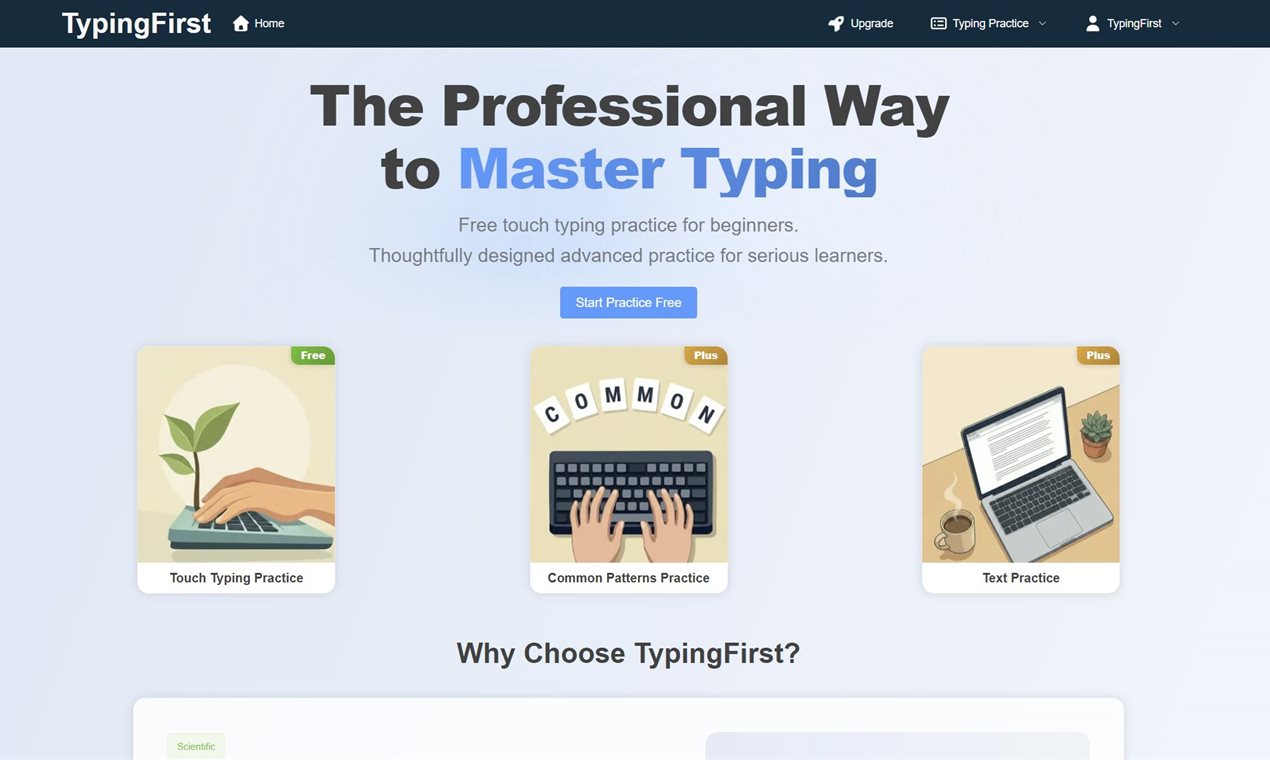
TypingFirst is an online typing practice platform focused on helping learners improve speed and accuracy through structured lessons and drills. The public site presents it as a more methodical alternative to casual typing games, with a clear emphasis on touch typing, progressive practice, and performance feedback. For beginners who want a guided path, or serious learners trying to clean up bad habits, TypingFirst appears designed to make practice feel more deliberate.
Key Features
- Structured touch typing practice aimed at both beginners and more serious learners.
- Multiple training formats, including touch typing practice, ngram typing practice, and paragraph typing practice.
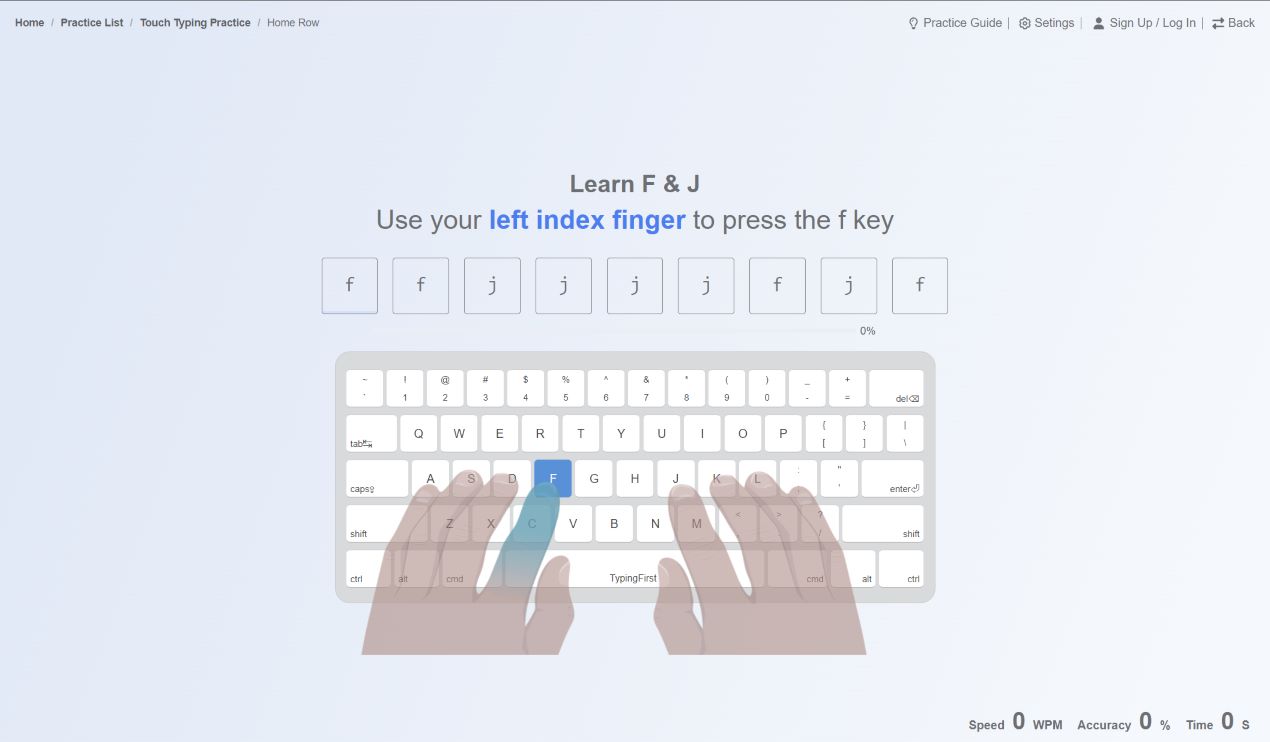
- An expert-designed learning approach that emphasizes finger placement, muscle memory, and integrated review.
- A distraction-free interface meant to keep attention on repetition and accuracy rather than visual clutter.
- Visual performance analytics that help users review speed, accuracy, weak keys, and progress over time.
- A free starting point, with visible references to premium drills and upgraded access for users who want more practice depth.
Use Cases
TypingFirst looks well suited for beginners who want to learn touch typing in a structured way instead of bouncing between random tests. The public site repeatedly emphasizes a learning path, which suggests that the platform is built to help users move from basic home-row familiarity toward broader keyboard fluency in stages.
It also appears relevant for learners who already type reasonably well but want to correct technique or improve consistency. Features such as ngram practice, paragraph drills, and visual feedback imply a setup that can support more focused improvement than a simple words-per-minute counter. That makes the platform interesting for students, self-learners, and professionals who type heavily and want better control over errors and rhythm.
There is also evidence that TypingFirst may fit educational settings. Public testimonials mention use with technology students and reference advanced analytics for stronger learners. While testimonials should not be treated as universal proof, they do suggest that teachers or parents looking for a more structured typing environment may find the platform worth evaluating.
Pricing
The public site makes one pricing signal clear: users can start for free. It also references premium drills, upgraded access, and a Plus tier in testimonial copy, which suggests a freemium or upgrade-based model rather than a purely paid product. What is not visible from the fetched homepage is a detailed plan breakdown, subscription structure, refund policy, or institutional pricing, so anyone comparing TypingFirst with classroom tools or premium typing platforms should verify those details directly before committing.
User Experience and Support
TypingFirst's presentation suggests a calm, focused product experience. The site highlights a minimalist interface, instant access without complex setup, and real-time feedback after lessons, which all point to a practice environment built around concentration rather than distraction. That matters in a typing tool, because even small interface choices can affect whether users stick with repetitive drills long enough to improve.
Support and documentation are less visible from the fetched material. The homepage shows sign-up and upgrade paths, but it does not clearly expose a help center, support workflow, onboarding library, or teacher resources in the evidence reviewed here. If support responsiveness or classroom administration matters, that is something prospective users should confirm before adopting it at scale.
Technical Details
The technical picture is functional rather than deeply documented. TypingFirst is clearly a browser-based typing practice product with lesson tracking, progress analytics, and multiple practice modes. The public copy also points to performance analysis after each lesson, including speed trends and weak-key identification, which suggests the platform does more than run static drills.
At the same time, the site does not clearly describe export options, account management details, device syncing behavior, offline availability, or integrations with school systems or learning platforms. For individual users, that may not matter much. For instructors or teams evaluating broader rollout, those operational details are worth checking.
Pros and Cons
Pros
- Clear focus on structured touch typing improvement rather than casual one-off tests.
- Multiple practice modes give the platform more depth than a single typing screen.
- Visual analytics and weak-key feedback add useful guidance for continued improvement.
- The minimalist, distraction-free framing is a strong fit for repetition-based learning.
- Free entry makes it easier for beginners to test the platform before upgrading.
Cons
- Detailed pricing and upgrade structure are not clearly visible in the fetched evidence.
- Public support and documentation signals appear limited from the homepage alone.
- The platform seems highly focused on typing skill development, so users looking for gamified variety or broader keyboard training features may want to compare alternatives.
- Classroom, team, or institutional management details are not obvious from the available material.
FAQ
What is TypingFirst and what does it help users do?
TypingFirst is an online typing practice platform designed to help users improve typing speed and accuracy. The public site emphasizes touch typing lessons, structured drills, and performance feedback for learners who want a more intentional practice path.
Who is TypingFirst best suited for?
It appears best suited for beginners learning touch typing, self-directed learners fixing bad habits, and serious typists who want more structured practice. Public testimonial content also suggests it may be useful in classroom settings.
What practice modes does TypingFirst show publicly?
The site visibly mentions touch typing practice, ngram typing practice, and paragraph typing practice. Those modes suggest different levels of repetition and difficulty rather than one generic typing test.
Does TypingFirst offer free access?
The public homepage indicates that users can start for free. It also references premium drills and upgrading, so users should expect some features or practice depth to sit behind paid access.
What kind of feedback does TypingFirst provide?
The visible copy points to visual performance analytics, real-time feedback, weak-key identification, and WPM tracking over time. That suggests the platform is built to help users review how they type, not just how fast they type once.
Is TypingFirst a good fit for students or teachers?
It may be. The public testimonials mention use with technology students and praise the structured learning path. Even so, anyone considering it for classroom use should verify account management, reporting, and support details directly.
What should users verify before upgrading?
A careful buyer should check the exact differences between free and paid access, whether premium drills match their skill level, and what support or account features come with an upgrade. Those details are not fully visible in the fetched material.
Conclusion
TypingFirst stands out as a focused typing practice platform with a strong educational tone and a clear emphasis on structured improvement. Its public messaging is most compelling for learners who want guided drills, measurable progress, and fewer distractions. The main open question is not what the product is for, but how its paid structure and support experience compare once a user moves beyond the free starting point.