

Introduction
Receipt Taxer is a receipt scanning and expense organization tool built around OCR and AI-assisted extraction. Its public site focuses on turning receipt images or PDFs into structured rows that can be reviewed, corrected, and exported to CSV, Excel, or PDF for backup, finance work, reimbursement, and TurboTax reference.
The product is most relevant for freelancers, small business owners, and self-employed people who collect receipts throughout the year but do not want tax-season preparation to become a manual data-entry project. The clearest promise is organization before filing, not tax filing itself: Receipt Taxer reads and structures receipt data, while users still review the output and finish filing in TurboTax or their preferred process.
Key Features
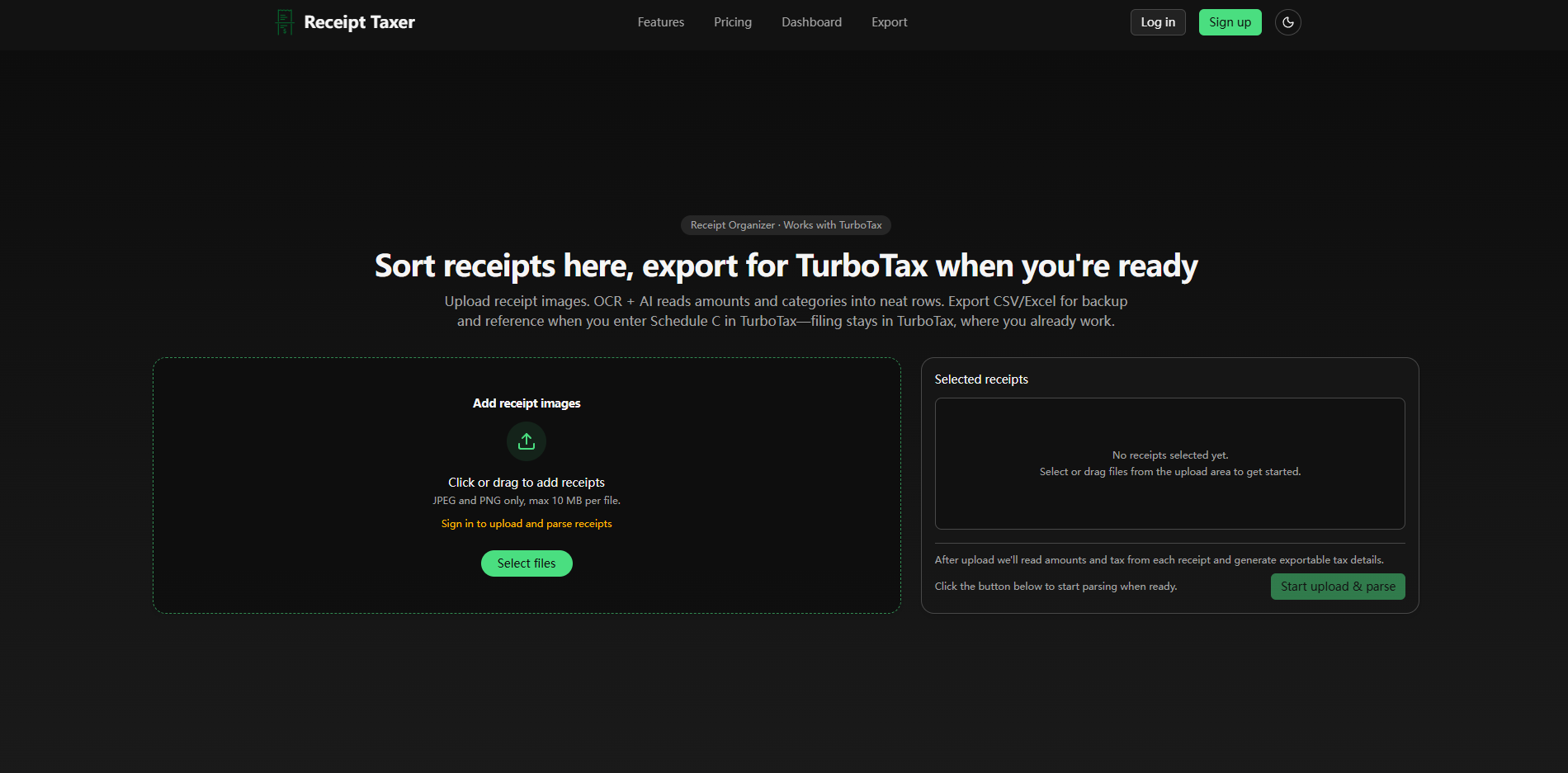
- Receipt upload flow for images and PDFs, with OCR and AI used to read receipt details.
- Extraction of amounts, merchants, tax types, and suggested categories.
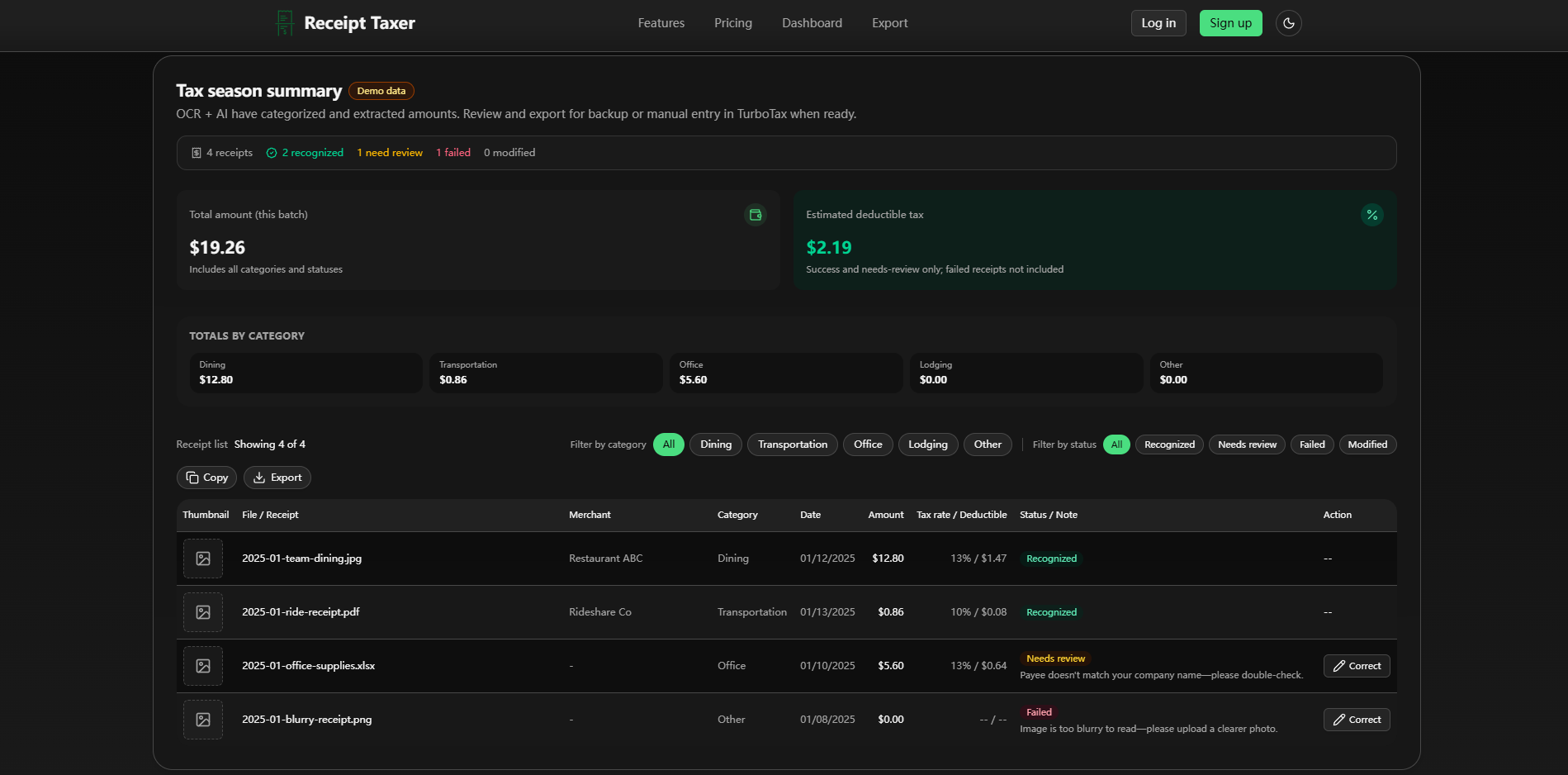
- Review dashboard that separates recognized, needs-review, failed, and modified receipts.
- Category totals for areas such as dining, transportation, office, lodging, and other expenses.
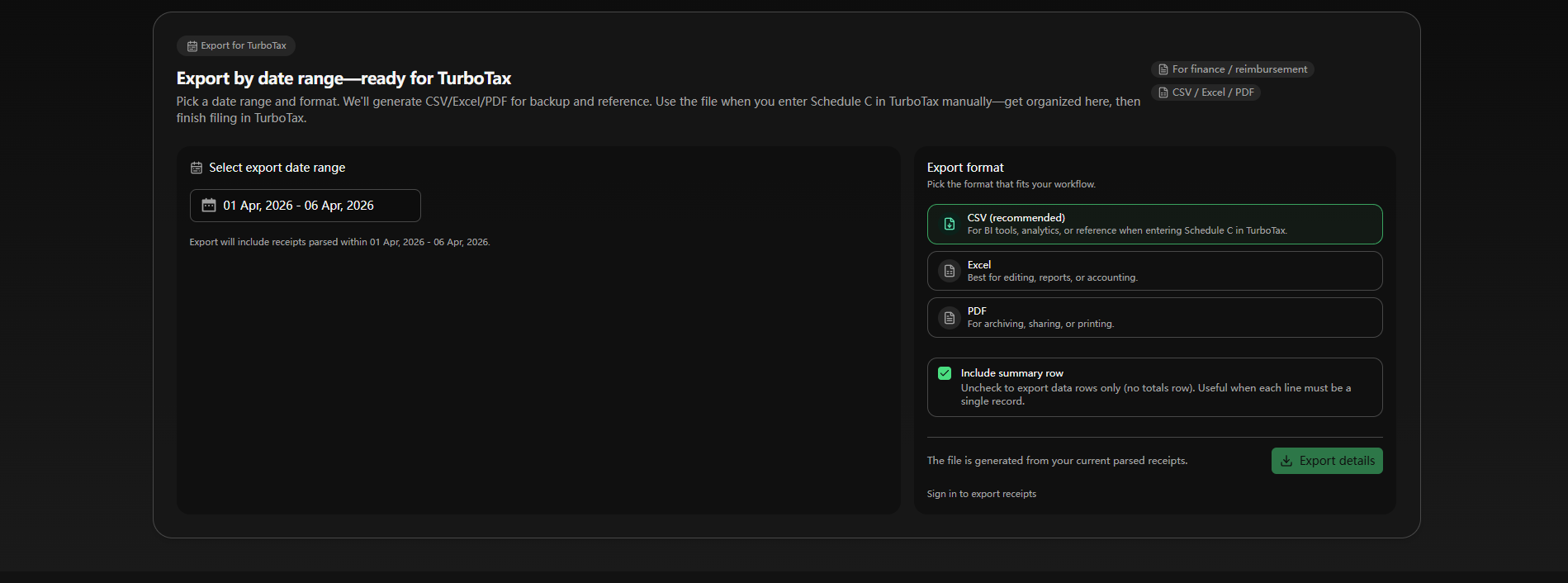
- Date-range exports designed for TurboTax reference, finance work, reimbursement, archiving, and reporting.
- CSV, Excel, and PDF export options, including an option to include or exclude a summary row.
Use Cases
Receipt Taxer is built for people who need usable receipt records before tax time. The site's About page says the product exists to turn scattered receipts into structured data, and the homepage shows a flow where uploaded receipts become categorized rows with amounts, tax information, statuses, and notes. That makes it useful for anyone who needs a cleaner record before entering Schedule C information manually in TurboTax.
The tool also fits reimbursement and finance preparation. The export section mentions CSV, Excel, and PDF formats, which gives users options for editing, reports, archiving, printing, or BI-style reference. A CSV export may be the simplest route for structured records, while Excel can work better when a user needs to adjust or annotate expense data before sharing it.
A practical limitation is that recognition still needs review. The demo content shows examples where a receipt may need correction because a payee does not match a company name, or fail because an image is too blurry. That is a useful signal: Receipt Taxer can reduce manual work, but users should expect to check categories, tax rates, and unclear scans before relying on the exports.
Pricing
Receipt Taxer shows simple pricing on the public page: one Starter plan at $9.99 per period, with 200 receipts included per period and the option to cancel anytime. The page also says there are no hidden fees. The visible plan copy refers to more receipt parses per period and core paid features, but readers should confirm the exact billing period, renewal rules, and what happens after the 200 included receipts are used.
User Experience and Support
The user experience is presented as a guided upload-review-export path. Users select or drag files into the upload area, Receipt Taxer reads the receipts, then the dashboard presents totals, categories, statuses, and export controls. The interface examples are practical because they show not only successful recognition but also receipts that need review or fail due to image quality.
Support and company signals are visible through Discord, email, legal pages, privacy policy, terms of service, and the About page. The About page also explains the product's operating boundary: it helps prepare organized data for TurboTax, while users complete filing in TurboTax. That distinction is important for expectations and should reduce confusion between receipt organization and tax advice.
Technical Details
Receipt Taxer uses OCR and AI to extract receipt data into structured formats. The public site states that users can upload receipt images or PDFs, and that the tool reads amounts, merchants, tax types, and suggested categories. The dashboard then allows review and correction before export.
The export layer is central to the product. CSV is described as useful for BI tools, analytics, or reference when entering Schedule C in TurboTax; Excel is positioned for editing, reports, or accounting; and PDF is intended for archiving, sharing, or printing. The public pages do not show API documentation or direct accounting software integrations, so teams that need automated synchronization should verify whether those options exist before adopting it.
Pros and Cons
Pros
- The product has a clear workflow: upload receipts, review extracted data, and export structured records.
- It handles practical receipt states, including recognized, needs-review, failed, and modified items.
- CSV, Excel, and PDF exports make the output usable across tax preparation, reimbursement, reporting, and backup scenarios.
- TurboTax positioning is specific and bounded: it helps prepare reference data while users complete filing separately.
- The pricing message is simple, with one visible plan and a stated receipt allowance.
Cons
- Users still need to review extracted amounts, categories, tax details, and receipts marked as unclear.
- The public page does not show direct integrations with accounting platforms or tax filing systems beyond TurboTax reference.
- The $9.99 per-period plan should be checked for exact billing period and overage behavior.
- Blurry or poor-quality receipts may fail, so input quality will affect how much correction work remains.
FAQ
What is Receipt Taxer?
Receipt Taxer is a receipt scanner and expense organization tool that uses OCR and AI to read receipt images or PDFs. It turns receipt information into structured data that users can review and export.
Who is Receipt Taxer best suited for?
It appears best suited for freelancers, sole proprietors, small business owners, and anyone preparing receipts for reimbursement, finance records, or tax-season organization. Its TurboTax reference workflow makes it especially relevant for people entering Schedule C details manually.
What information can Receipt Taxer extract from receipts?
The public site says Receipt Taxer reads amounts, merchants, tax types, and suggested categories. The dashboard examples also show receipt statuses, notes, dates, totals, and category summaries.
Does Receipt Taxer file taxes or replace TurboTax?
No. The site positions Receipt Taxer as a preparation and organization tool. It helps create exportable receipt data for backup or manual entry, while users still complete filing in TurboTax.
What export formats does Receipt Taxer support?
Receipt Taxer shows CSV, Excel, and PDF export options. CSV is positioned for analytics or TurboTax reference, Excel for editing and reports, and PDF for archiving, sharing, or printing.
How much does Receipt Taxer cost?
The public page shows a Starter plan at $9.99 per period with 200 receipts included per period. Users should confirm the exact billing period and any limits or additional parse rules before subscribing.
What should users check before relying on Receipt Taxer?
Users should test representative receipts, especially blurry images, unusual merchant formats, and mixed tax categories. They should also review any needs-review items, confirm category accuracy, and keep exports backed up for their records.
Conclusion
Receipt Taxer is a focused tool for turning messy receipt collections into structured, exportable expense data. Its strongest fit is not replacing tax software, but helping users arrive at tax season with cleaner records and fewer manual receipt checks.
For anyone who already uses TurboTax or needs CSV, Excel, or PDF receipt exports for finance work, Receipt Taxer is worth evaluating with a sample batch of real receipts before committing to a full-period plan.