
Introduction
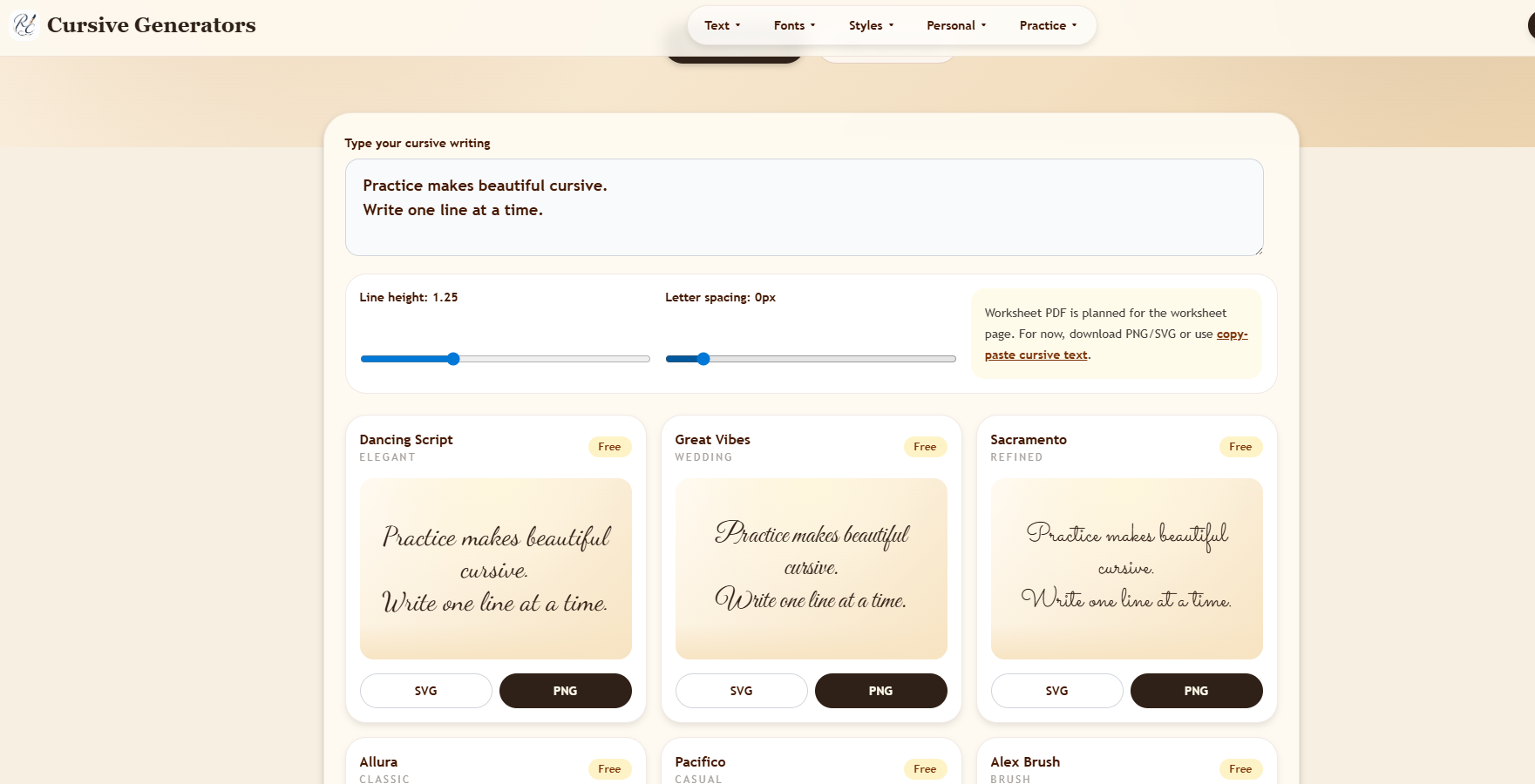
Cursive Generators hosts a free cursive text tool that combines Unicode copy-paste styles with real-font PNG and SVG downloads in one page. The site targets people who need decorative social text or consistent visual lettering for signatures, tattoos, invitations, and classroom or design work. Because Unicode rendering varies by app and device, users should pick copy-paste mode for quick bios and image export when the exact look must stay fixed.
Key Features
- Dual output paths: copy-paste Unicode cursive for social platforms and "Real Fonts" mode for downloadable images.
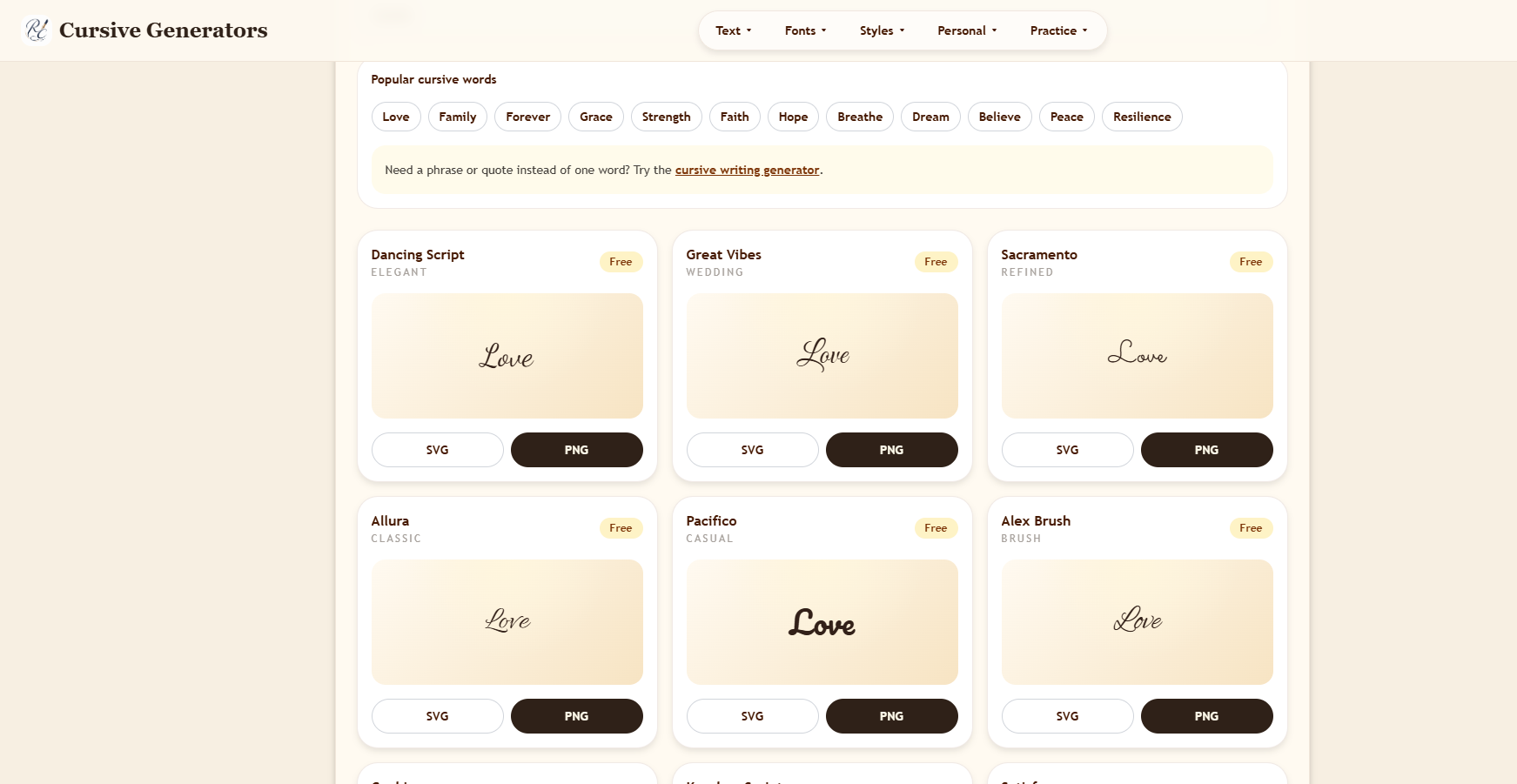
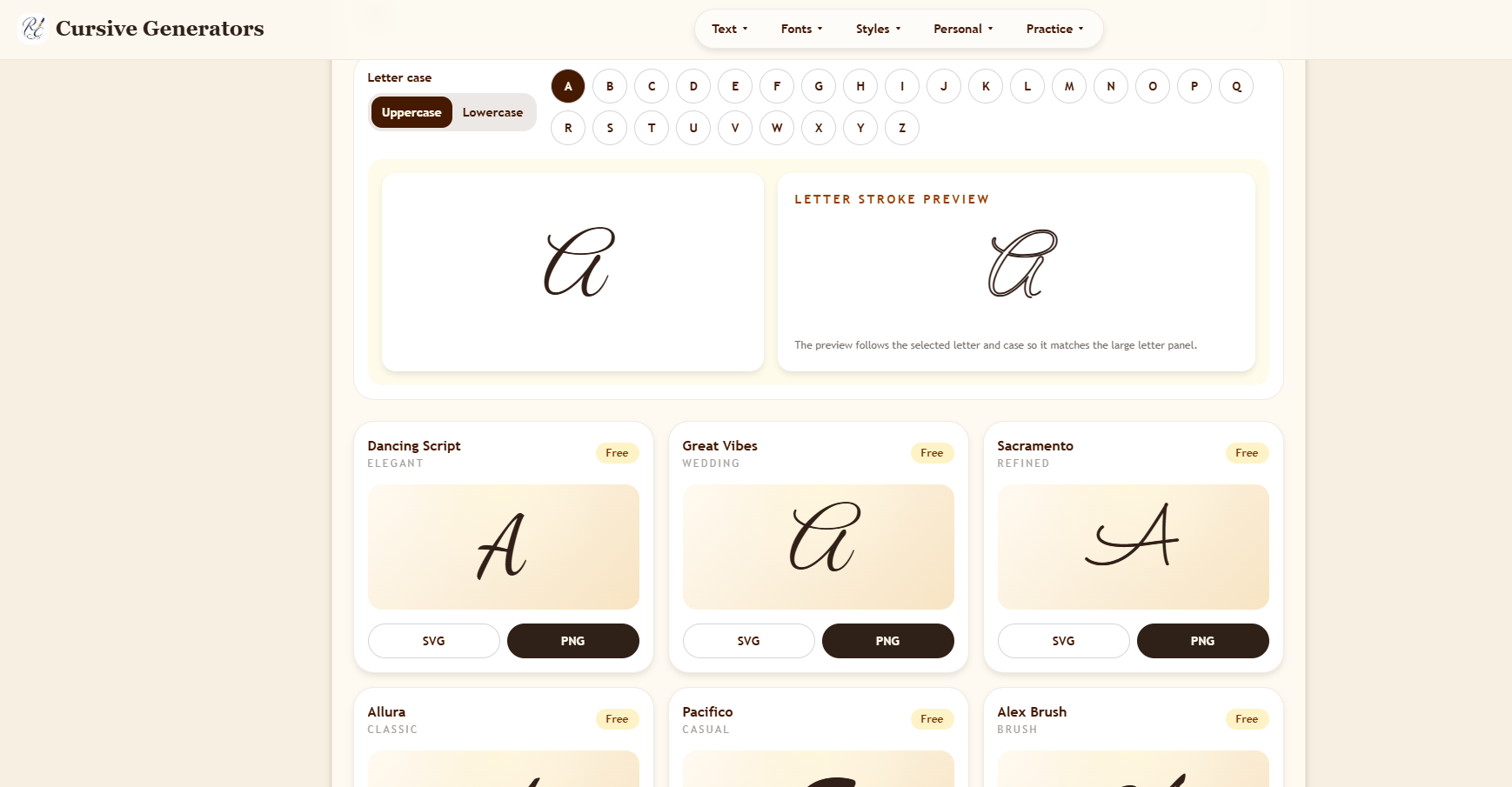
- About 36 real cursive font previews and 35 Unicode copy-paste style variants including script, bold script, italic, small caps, fullwidth, spaced, and wrapped decorative forms.
- In-browser PNG and SVG export from real-font cards, with guidance that SVG scales cleanly and PNG suits transparent assets in documents and slides.
- Side-by-side style grid spanning elegant, wedding, casual, notebook, marker, bold, calligraphy, and handwriting-oriented options.
- No sign-up, login, credits, or payment required for core generator use according to on-page copy.
- Related tool and guide links for signatures, tattoos, names, letters, worksheets, logos, typing animation, and handwriting education content.
Use Cases
Social users can paste Unicode cursive into Instagram bios, TikTok captions, Discord names, or short profile lines without installing fonts. The page notes that Unicode stays text-like for speed but may show missing glyphs or fallback fonts on some systems.
Design and personal projects-email signatures, wedding graphics, tattoo references, brand mockups, quote images, and classroom labels-are better served by PNG or SVG exports where the same visual style must appear in PDFs, Canva, or print. The site explicitly contrasts these two paths so visitors choose before copying.
Educators and parents browsing the broader Cursive Generators site: site may also use alphabet charts, practice worksheets, and letter guides linked from navigation, though the main generator focuses on instant text conversion.
Pricing
The product is described as free with no account, credits, or payment for creating and downloading results. There is no subscription tier on the fetched homepage. If premium tools exist elsewhere on the domain, they were not part of the extracted generator page.
User Experience and Support
The flow is type once, preview across styles, then copy Unicode or download SVG/PNG. Mobile layout is described as stacking cards cleanly with a simple input for one-tap copy on phones.
Support is primarily self-serve through embedded explanations of Unicode versus real fonts, plus blog and guide sections on cursive writing, signatures, tattoos, and school policy topics. No live chat or ticket system appears on the extracted homepage.
Technical Details
Generation runs in the browser for real-font downloads. Unicode mode relies on standard character substitution rather than installing fonts into Instagram, TikTok, or mobile OS layers. Discord is mentioned as a compatible paste target for decorative text.
SVG export supports scalable artwork; PNG supports transparency for documents and quick sharing. Screen reader compatibility for Unicode decorative text may be weaker than plain text, as noted in the site's compatibility discussion.
Pros and Cons
Pros
- Free, instant access without registration lowers friction for one-off names or bios.
- Unicode and real-font outputs address both social paste and design asset needs in one visit.
- Large style catalog reduces hunting across separate Unicode-only or font-only tools.
- Educational and specialty links (signature, tattoo, worksheets) add context beyond a single converter.
Cons
- Unicode cursive can break or look different across apps, older devices, and accessibility tools.
- Real-font images are not editable text after export; last-minute copy changes require regenerating.
- Only the main generator page was captured in preparation; depth of linked sub-tools may vary.
- Tattoo and signature use still requires human judgment; exported previews are references, not professional legal or medical advice.
FAQ
What is Cursive Generators' main cursive tool?
It is a cursive generator that lets you type text once, compare Unicode copy-paste styles and real-font previews, then copy or download PNG/SVG for your use case.
When should you use Unicode copy-paste instead of PNG or SVG?
Unicode fits short decorative text for social bios, captions, and usernames where you want editable pasted characters. Image export fits when visual consistency matters across email, PDFs, slides, or design tools.
Does the generator require an account or payment?
The fetched page states the tool works without login, credits, or payment for quick creation and free downloads.
How many styles are available?
Marketing copy on the page cites roughly 36 real cursive font previews and 35 Unicode copy-paste variants with multiple script and decorative forms.
Can you use output for signatures or tattoos?
The site describes signatures as often needing clean transparent PNGs and tattoo ideas as benefiting from high-contrast styles artists can redraw, but final ink work should always be confirmed with a professional.
What related tools does the site link to?
Navigation references converters, font images, letter generators, signature and tattoo tools, note and logo generators, typing animation, worksheets, and cursive learning guides.
What is the main limitation to watch for?
Unicode decorative text depends on each platform's font support; if characters fail to render, switch to real-font PNG or SVG export instead of assuming paste will look the same everywhere.
Conclusion
Cursive Generators suits anyone who wants a free, browser-based way to preview many cursive styles and either paste Unicode text or export a stable image. Start on cursivegenerators.org, test your phrase in both modes, and export the format that matches whether you need social paste speed or fixed visual design.