
Introduction
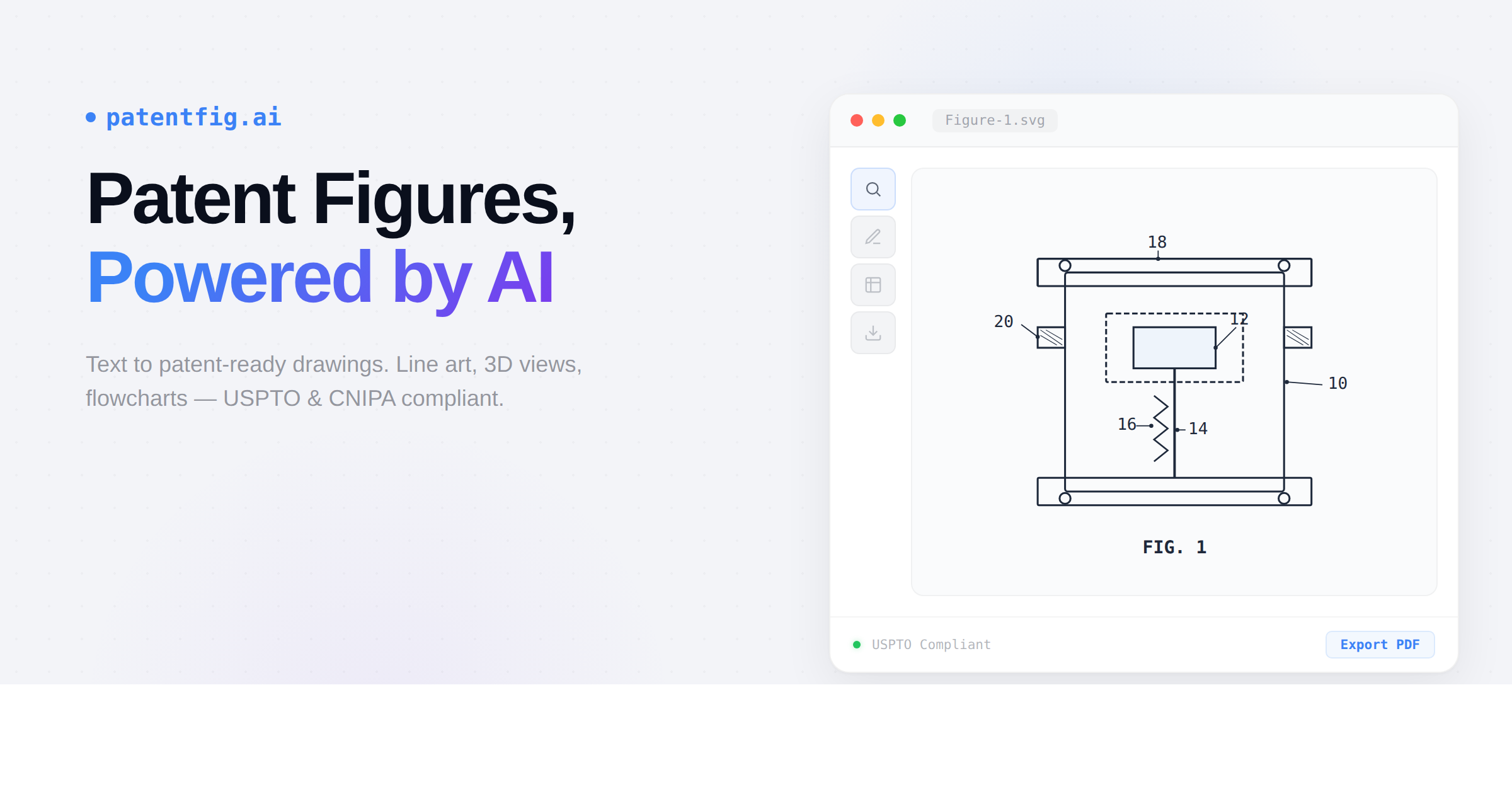
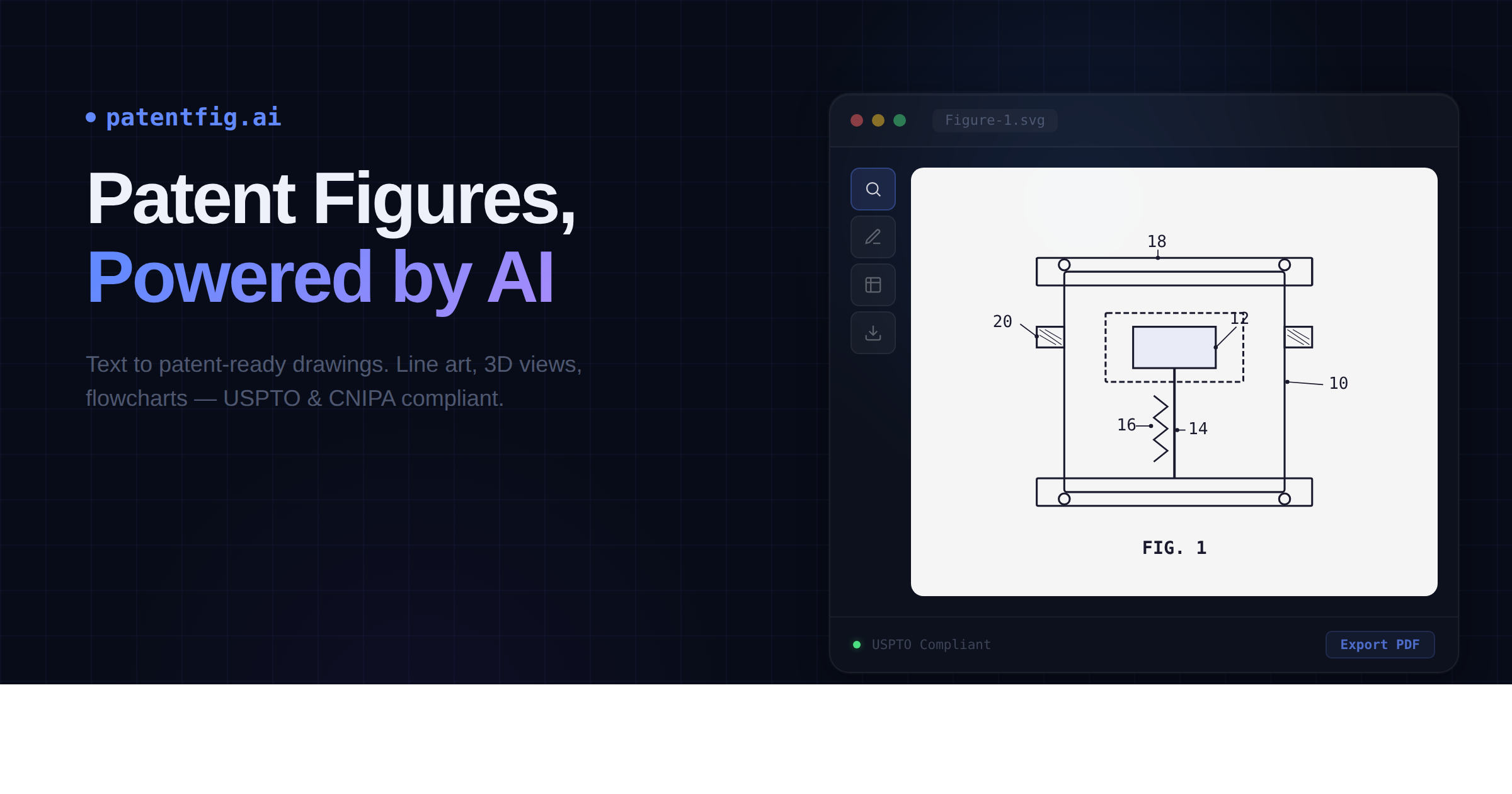
PatentFig AI is an AI-native patent drawing platform that converts descriptions, sketches, or photos into USPTO-compliant patent figures. The tool targets IP attorneys, patent professionals, and inventors who need filing-ready line art, 3D renderings, and flowcharts without manual illustration work. The public pages emphasize compliance with multiple patent offices-USPTO, CNIPA, EPO, JPO, KIPO, and PCT workflows-along with confidentiality guarantees and a credit-based pricing model.
Key Features
- Patent Line Art Generation: Automatically generate clean, labeled line drawings from product photos or 3D models with AI-added reference numerals and leader lines following patent office conventions
- 3D Rendering & Multi-View: Create three-dimensional renderings and multiple view angles of inventions for comprehensive patent documentation
- Flowchart & Block Diagrams: Generate technical diagrams and process flows commonly required in patent applications
- Chat-to-Modify: Edit figures using natural language commands such as "make the arrow thicker" or "add a cross-section view"
- Multi-Modal Input: Accept reference photos, sketches, CAD screenshots, or text descriptions as starting points for generation
- Version Control: Track iterations with version numbering (V1, V2) and sub-versions for edits (V1.1, V1.2), allowing comparison and reversion
- Professional Export: Output in PDF, PNG, SVG, or TIFF formats at exact patent office specifications with batch export capabilities
- Project Management: Organize figures by patent application with tracking for figure sets, versions, and compliance status
- Multi-Office Support: Switch between CNIPA, USPTO, EPO, JPO, KIPO, and PCT/WIPO-oriented formatting workflows from one source set
- Figure Checker: Verify generated figures meet compliance requirements before filing
Use Cases
PatentFig AI suits individual inventors preparing provisional patent applications who lack technical drawing skills. Rather than hiring patent illustrators, they can upload smartphone photos of prototypes and receive formatted line drawings within minutes.
For patent law firms and IP departments, the platform offers workflow efficiency for high-volume figure generation. The credit-based system allows firms to scale usage during busy filing periods without maintaining in-house illustration staff. The version control and project organization features support complex multi-figure applications.
Corporate R&D teams benefit from the confidentiality guarantees when documenting inventions before public disclosure. The platform explicitly states that uploaded materials are never used to train AI models, addressing IP sensitivity concerns common in innovation-focused organizations.
Patent agents working with international filings appreciate the multi-office support that generates jurisdiction-specific formatting from a single source set, reducing redundant work for PCT national phase entries.
Pricing
PatentFig AI operates on a credit-based subscription model with four tiers:
Free ($0): 20 credits monthly (~2 figures), includes anchor plus multi-view workflow, line art rendering, and flowchart generation. Best for trial use with standard priority.
Basic ($20/month, marked down from $50): 500 credits monthly (~50 figures), adds multi-project workflow, slot-by-slot regeneration, and version timeline review. Targeted at individual inventors and light project volume.
Pro ($40/month, marked down from $100): 1,500 credits monthly (~150 figures), includes higher multi-case throughput, more regeneration headroom, and faster iteration loops. Designed for patent professionals and firm-level throughput.
Enterprise ($80/month, marked down from $200): 4,000 credits monthly (~400 figures), adds team-scale continuous generation, multi-pipeline production, and portfolio-level consistency. Built for organizations running high-volume figure pipelines.
Annual billing shows discounts of approximately 60% compared to monthly rates. New users receive 20 free credits upon signup plus daily login rewards. No credit card is required for the free tier.
User Experience and Support
The workflow follows a three-step process: describe or upload a sketch, choose view angles, and export ready-to-use files. The chat-to-modify feature allows iterative refinement without navigating complex software interfaces.
Documentation appears to include drawing requirements, standards guidance, and examples available through the site's blog and resources sections. Support channels include email contact and social media presence on X (Twitter). The Trust Center provides detailed confidentiality and security documentation.
The platform emphasizes data protection: encryption in transit and at rest, no training on user data, and availability of DPA and NDA terms for business customers. Account deletion is available anytime with complete removal within 30 days for closed accounts.
Technical Details
PatentFig AI functions as a web-based SaaS application accessible through standard browsers. The platform processes multiple input formats including photographs, hand sketches, CAD screenshots, and text descriptions.
Output specifications align with major patent office requirements:
- USPTO (United States Patent and Trademark Office)
- CNIPA (China National Intellectual Property Administration)
- EPO (European Patent Office)
- JPO (Japan Patent Office)
- KIPO (Korean Intellectual Property Office)
- PCT/WIPO (Patent Cooperation Treaty/World Intellectual Property Organization)
The platform includes specialized tools beyond core figure generation: Figure Checker for compliance verification, Convert for format transformation, Vectorize for creating scalable graphics, and DPI Enhance for resolution optimization.
Pros and Cons
Pros
- Purpose-built for patent office compliance across multiple jurisdictions
- Credit-based pricing allows flexible scaling without long-term commitments
- Strong confidentiality guarantees with explicit no-training policies
- Multiple input formats reduce barriers for non-technical users
- Version control supports iterative refinement common in patent drafting
- Free tier enables evaluation without financial commitment
- Natural language editing simplifies modifications
Cons
- Credit system requires usage estimation that may be difficult for new users
- Output quality depends on input clarity-poor photos may produce poor results
- Limited to black-and-white line art-color or complex shading not supported
- No integration with patent management systems or e-filing platforms mentioned
- Enterprise tier pricing may exceed small firm budgets despite monthly discounts
- Reliance on AI accuracy for technical compliance requires human verification
FAQ
What is PatentFig AI and who is it designed for?
PatentFig AI is an AI-native platform that generates patent-compliant figures from descriptions, sketches, or photos. It targets IP attorneys, patent agents, corporate R&D teams, and individual inventors who need professional patent illustrations without hiring specialized draftspersons or learning complex CAD software.
Is the output actually USPTO-compliant?
The platform claims USPTO compliance along with support for CNIPA, EPO, JPO, KIPO, and PCT workflows. However, ultimate compliance responsibility rests with the applicant. Users should verify generated figures against current patent office guidelines, as requirements can change and AI-generated content may require human review for complete accuracy.
How does the credit system work?
Credits serve as the platform's usage currency. The free tier provides 20 credits monthly (approximately 2 figures), while paid tiers offer 500 to 4,000 credits monthly depending on subscription level. Credits presumably reset monthly-users should confirm whether unused credits roll over or expire, as this affects value calculation for intermittent users.
What happens to my data and intellectual property?
PatentFig AI states explicitly that user prompts, uploads, and generated figures are never used to train AI models. Third-party AI providers are contractually prohibited from training on user content. Data is encrypted in transit and at rest. DPA and NDA terms are available for business customers. Users retain full control and can delete projects anytime.
Can I edit figures after generation?
Yes. The chat-to-modify feature allows natural language editing commands. Users can request changes like "make the arrow thicker" or "add a cross-section view." Version control tracks iterations with numbered versions and sub-versions, enabling comparison and reversion to earlier states.
What file formats does PatentFig AI support?
The platform exports in PDF, PNG, SVG, and TIFF formats at patent office specifications. Batch export allows downloading all views of a figure set simultaneously. Vector formats (SVG) support scalability without quality loss, important for figures that may need resizing during prosecution.
Conclusion
PatentFig AI addresses a specific pain point in patent preparation: creating compliant technical drawings without specialized illustration skills or expensive outsourcing. The platform's multi-office support and confidentiality commitments suggest it is designed for professional use rather than casual experimentation.
The credit-based pricing model offers flexibility but requires careful usage tracking. The free tier provides adequate scope for evaluation. Prospective users should verify actual compliance against their target patent office's current requirements and confirm credit rollover policies before committing to paid tiers. Visit patentfig.ai to explore the free tier and review the Trust Center documentation.