
Introduction
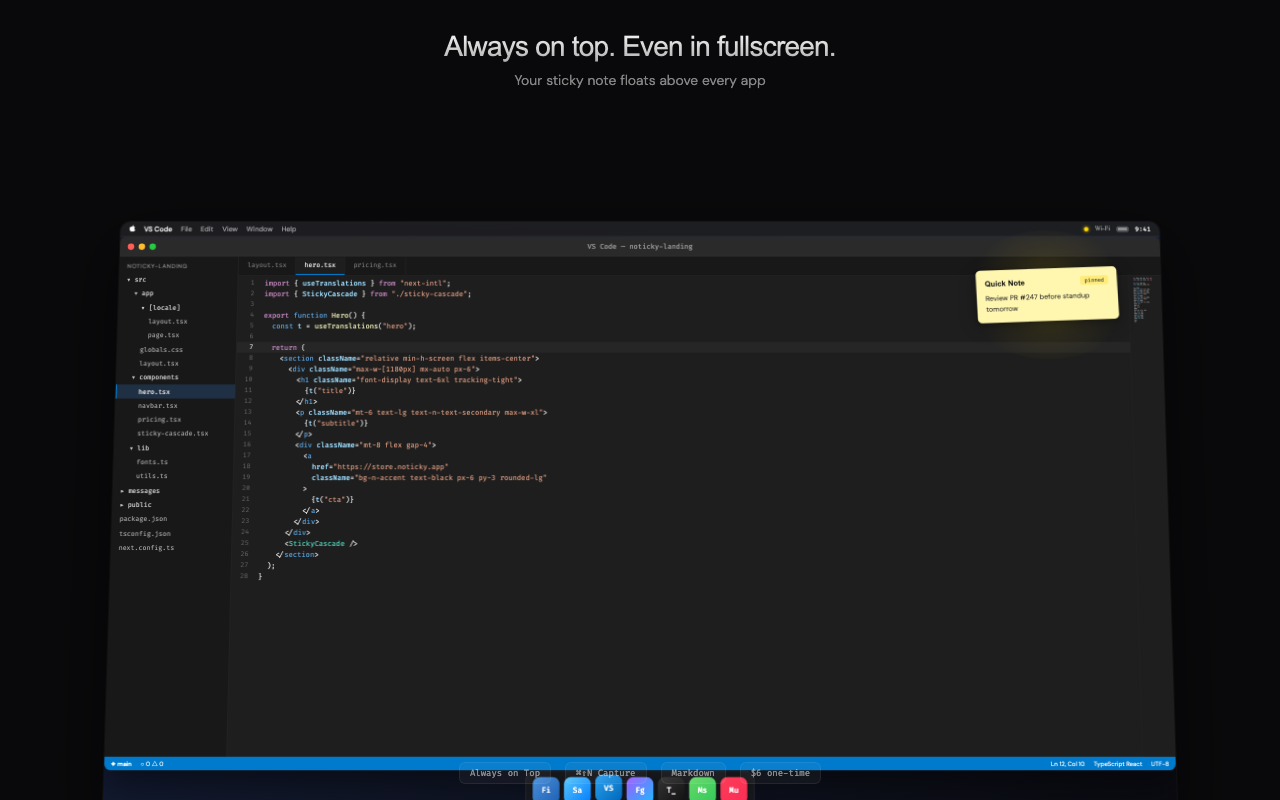
Noticky is a native macOS sticky note app built for people who need quick notes to stay visible while they work. The public page presents it as an always-on-top menu bar note tool for macOS 15 Sequoia and later, with fullscreen overlay behavior, Markdown support, iCloud sync, Touch ID lock, and a global hotkey for instant capture.
The clearest fit is for Mac users who want lightweight sticky notes without opening a heavier notes workspace or losing the note behind a fullscreen app. A careful reader should verify device compatibility and whether every listed feature matches their current macOS setup before purchasing.
Key Features
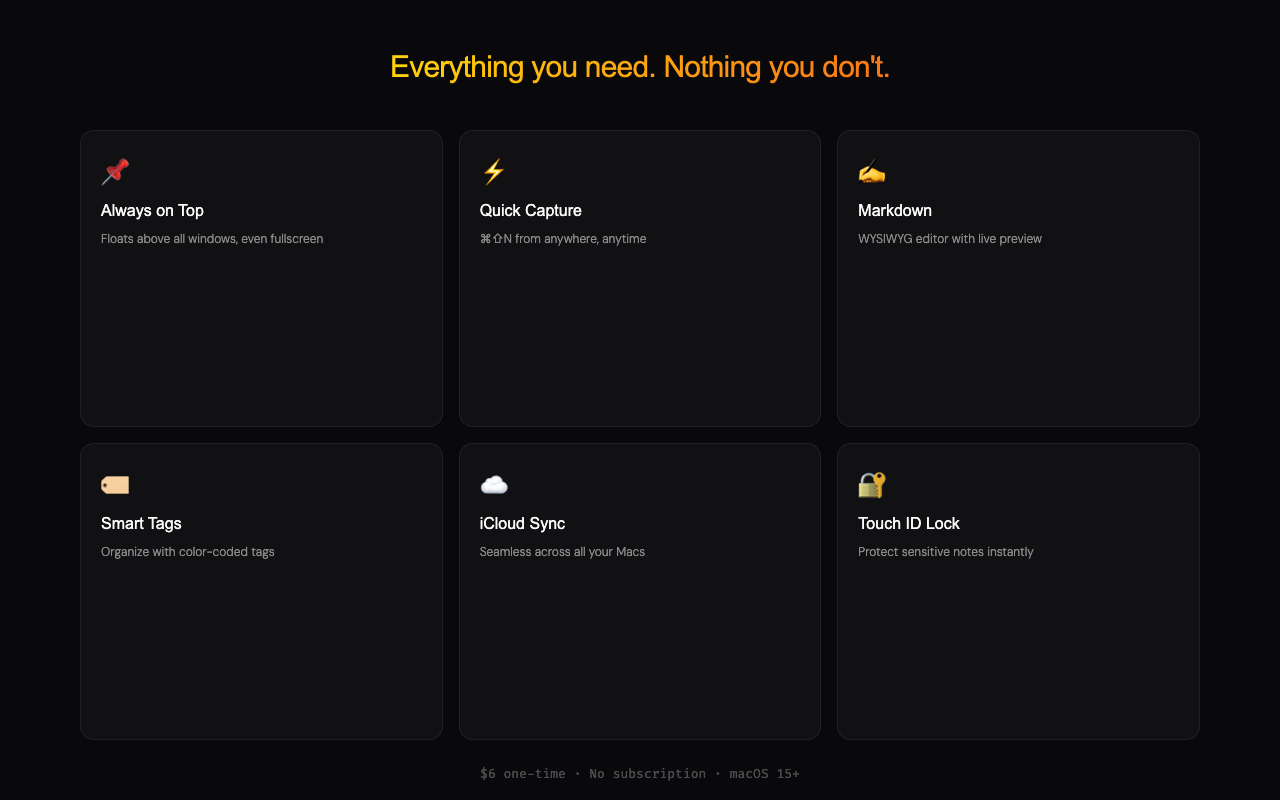
- Always-on-top sticky notes designed to remain visible above other apps, including fullscreen windows.
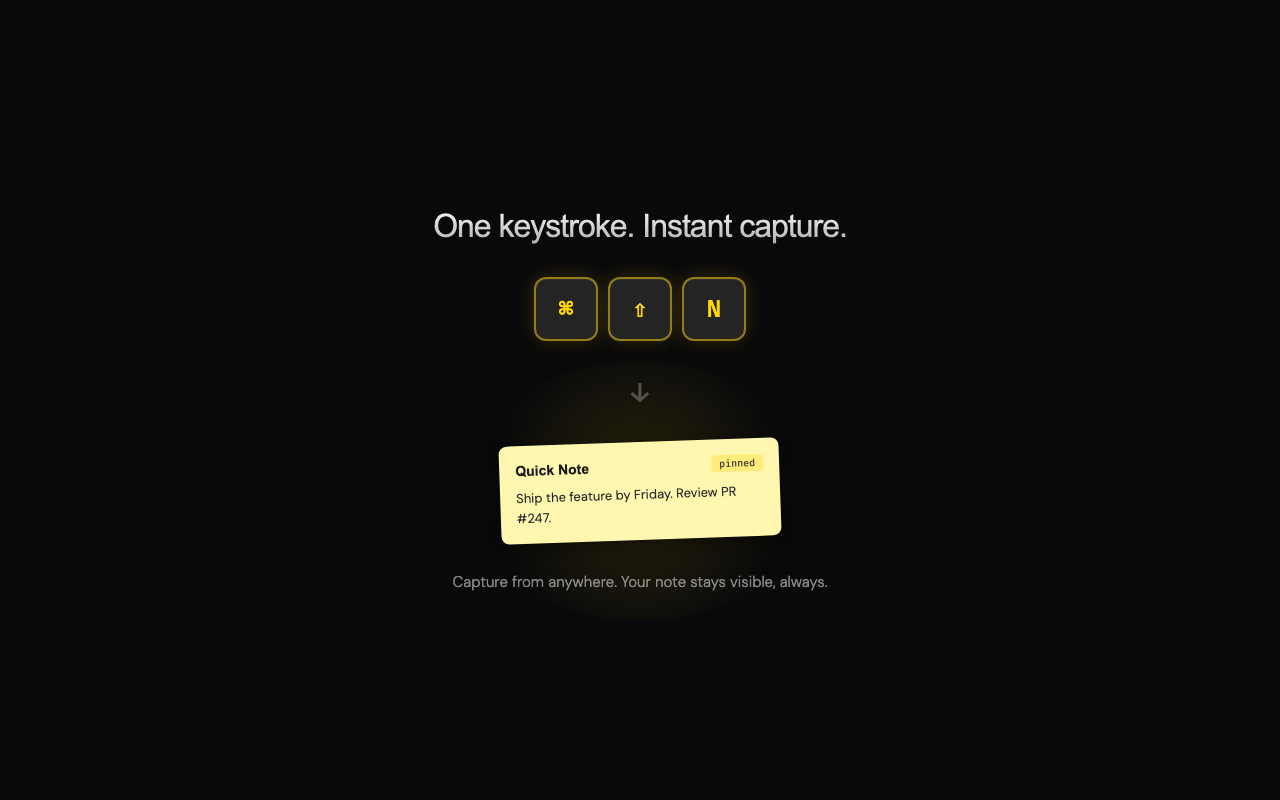
- Global hotkey capture with ⌘⇧N so users can create a note without switching apps or using the Dock.
- Native macOS menu bar design built with AppKit and SwiftUI rather than Electron or a web wrapper.
- Markdown WYSIWYG editing with live rendering for headings, bold text, lists, code blocks, and inline code.
- iCloud sync across Macs, local note storage, and offline capture according to the public page.
- Organization and control features including layout modes, smart tags, custom colors, show/hide all notes, reminders, trash, RTL support, and export to PDF, Markdown, or plain text.
Use Cases
Noticky is useful for Mac users who keep small notes beside active work: meeting reminders, temporary task lists, API keys, quick project notes, or short snippets that need to stay in view. Its fullscreen overlay angle is especially relevant for people who work inside focused apps where Apple Stickies or other note windows may disappear.
The app also fits power users who prefer keyboard-first capture. A single hotkey, menu bar access, and no Dock clutter make it closer to a utility than a full note-taking platform, which is a practical distinction for people who already use Apple Notes, Notion, Bear, or Craft for longer writing.
For users who care about ownership and export, the page highlights one-time pricing and export formats such as PDF, Markdown, and TXT. That makes it easier to evaluate as a focused desktop tool, though teams should still confirm whether collaboration or shared note workflows are supported before adopting it beyond individual use.
Pricing
Noticky is priced at $6 as a one-time purchase. The public page says there is no subscription, no in-app purchase, no account requirement, and no feature gates at that price, with future updates included. Buyers should still review the current purchase page, refund policy, and macOS compatibility requirements before checkout.
User Experience and Support
The user experience described on the site is intentionally minimal: press ⌘⇧N, type a note, and access it later from the menu bar. Notes can use plain text or Markdown, and layout modes such as free placement, stack, and tile appear designed to keep multiple sticky notes manageable.
The fetched page includes links for Privacy Policy, Terms of Use, and Refund Policy, but it does not clearly show a dedicated help center, ticketing system, or support email in the captured evidence. Because Noticky is indie-built by one developer, users who depend on it daily should confirm support expectations and update cadence directly from the official site.
Technical Details
Noticky is described as a native macOS app for macOS 15 Sequoia and later. The site states that it is built with AppKit and SwiftUI, not Electron, and uses native macOS behavior to keep sticky notes visible above fullscreen apps.
The product page also mentions local storage, iCloud sync, offline capture, Touch ID lock for sensitive notes, and export to PDF, Markdown, or TXT. These are useful signals for technical evaluators, but the page does not provide a public API, scripting interface, team admin controls, or cross-platform support details in the fetched evidence.
Pros and Cons
Pros
- Focused on a clear macOS problem: keeping sticky notes visible even in fullscreen workspaces.
- Uses native macOS technologies, which should appeal to users who avoid Electron-style desktop apps.
- One-time $6 pricing is straightforward compared with monthly note-app subscriptions.
- Includes practical power-user features such as hotkeys, Markdown, iCloud sync, Touch ID lock, layouts, and exports.
- Menu bar behavior keeps the app lightweight and separate from larger note-taking systems.
Cons
- Requires macOS 15 Sequoia or later, so older Mac systems are excluded.
- The available page focuses on individual use and does not show team collaboration features.
- Support options are not as visible as the feature and pricing information.
- Users who need long-form notes, databases, or shared workspaces may still need a broader notes app alongside Noticky.
FAQ
What is Noticky?
Noticky is a native macOS sticky note app that keeps notes visible above other apps, including fullscreen windows. It lives in the menu bar and is designed for quick capture rather than long-form note management.
Who is Noticky best suited for?
Noticky is best suited for Mac power users, developers, designers, writers, and productivity-focused users who need short notes visible while working. It is not positioned as a full replacement for broad tools like Apple Notes, Notion, or Craft.
What macOS version does Noticky require?
The public page says Noticky requires macOS 15 Sequoia or later. Users on older versions of macOS should check compatibility before purchasing.
How much does Noticky cost?
Noticky costs $6 as a one-time purchase according to the public site. The page states there is no subscription, no in-app purchase, and no account requirement.
Does Noticky support Markdown?
Yes. The page says Noticky includes Markdown WYSIWYG editing with live rendering for headings, bold, italic, strikethrough, lists, code blocks, and inline code.
Can Noticky sync notes across devices?
The public page says notes sync through iCloud across Macs and can be captured offline. Users should confirm their own iCloud setup and device compatibility if sync is central to their workflow.
What should users verify before buying Noticky?
Users should verify macOS compatibility, current refund terms, support options, and whether the app's focused sticky-note model fits their workflow. People who need shared team notes or cross-platform access should also confirm whether those needs are supported.
Conclusion
Noticky is a focused macOS utility for users who want sticky notes that stay visible, launch quickly, and avoid subscription pricing. Its strongest visible advantages are native Mac design, fullscreen overlay behavior, Markdown editing, iCloud sync, and a simple one-time purchase model.
For the right user, it can complement a larger notes app rather than replace it. The main decision points are macOS 15 compatibility, support expectations, and whether a lightweight sticky-note workflow is enough for the user's daily note capture needs.