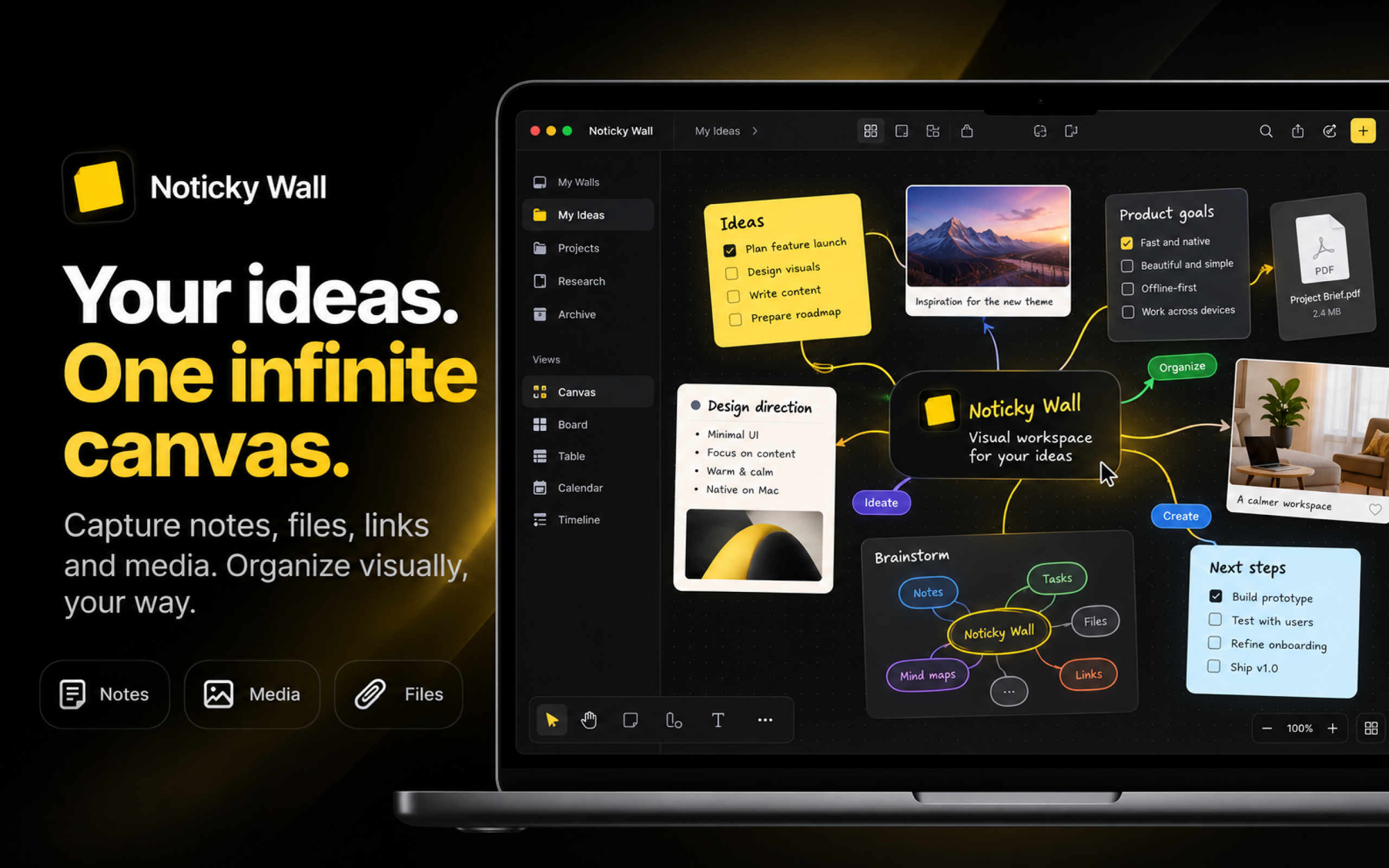

Noticky Wall is a native Mac visual workspace built around an infinite canvas. It lets you organize ideas, notes, projects, mind maps, flowcharts, tasks, media, and documents in one flexible space — without the complexity of traditional project management software.
A free web version is available for anyone who wants to try the core Noticky Wall experience in the browser, while the desktop app provides the complete Mac experience with local-first workflows, offline access, native desktop features, and deeper file integration.
What Noticky Wall does
Noticky Wall gives you an infinite canvas where you can think, organize, plan, and build visually.
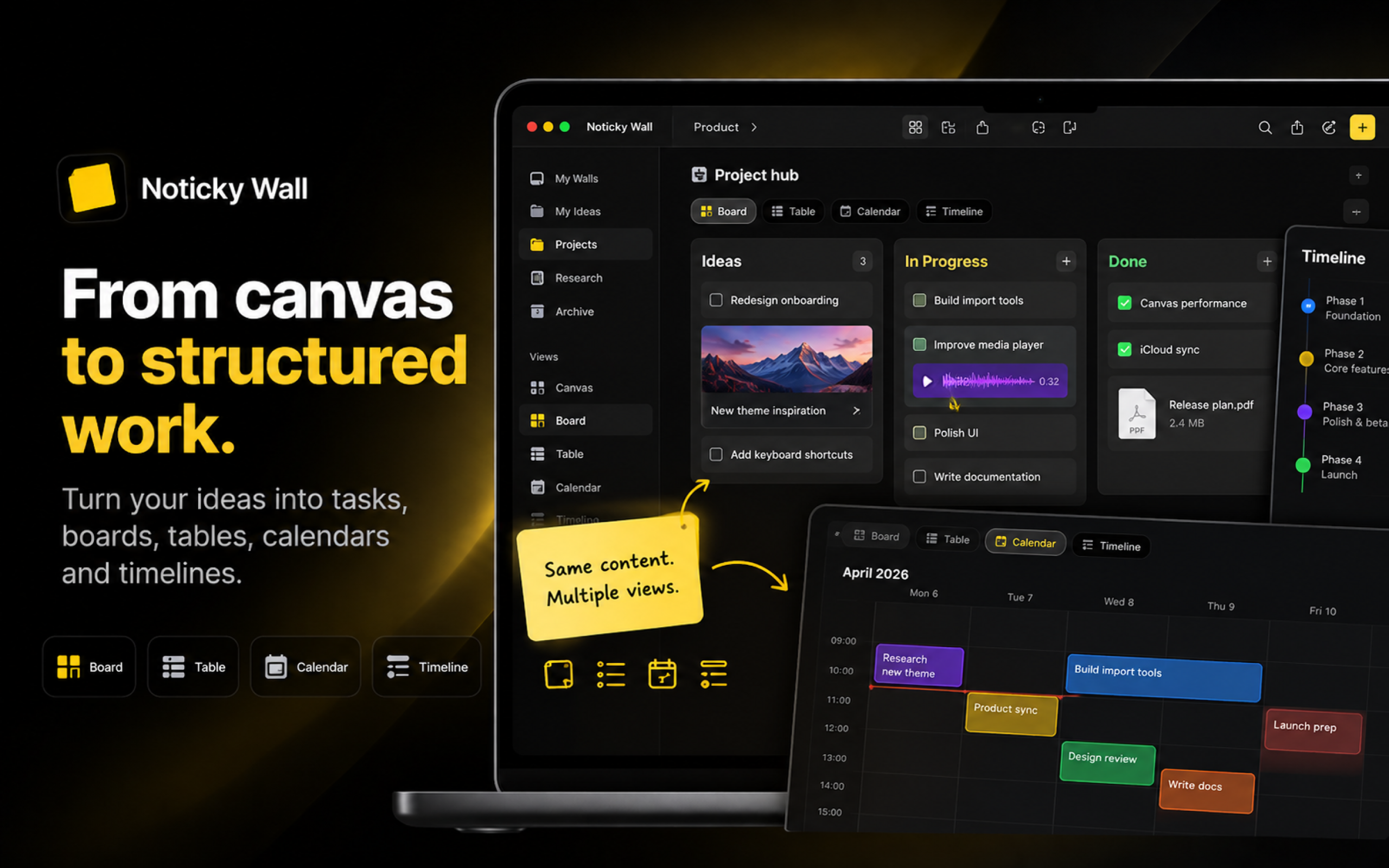
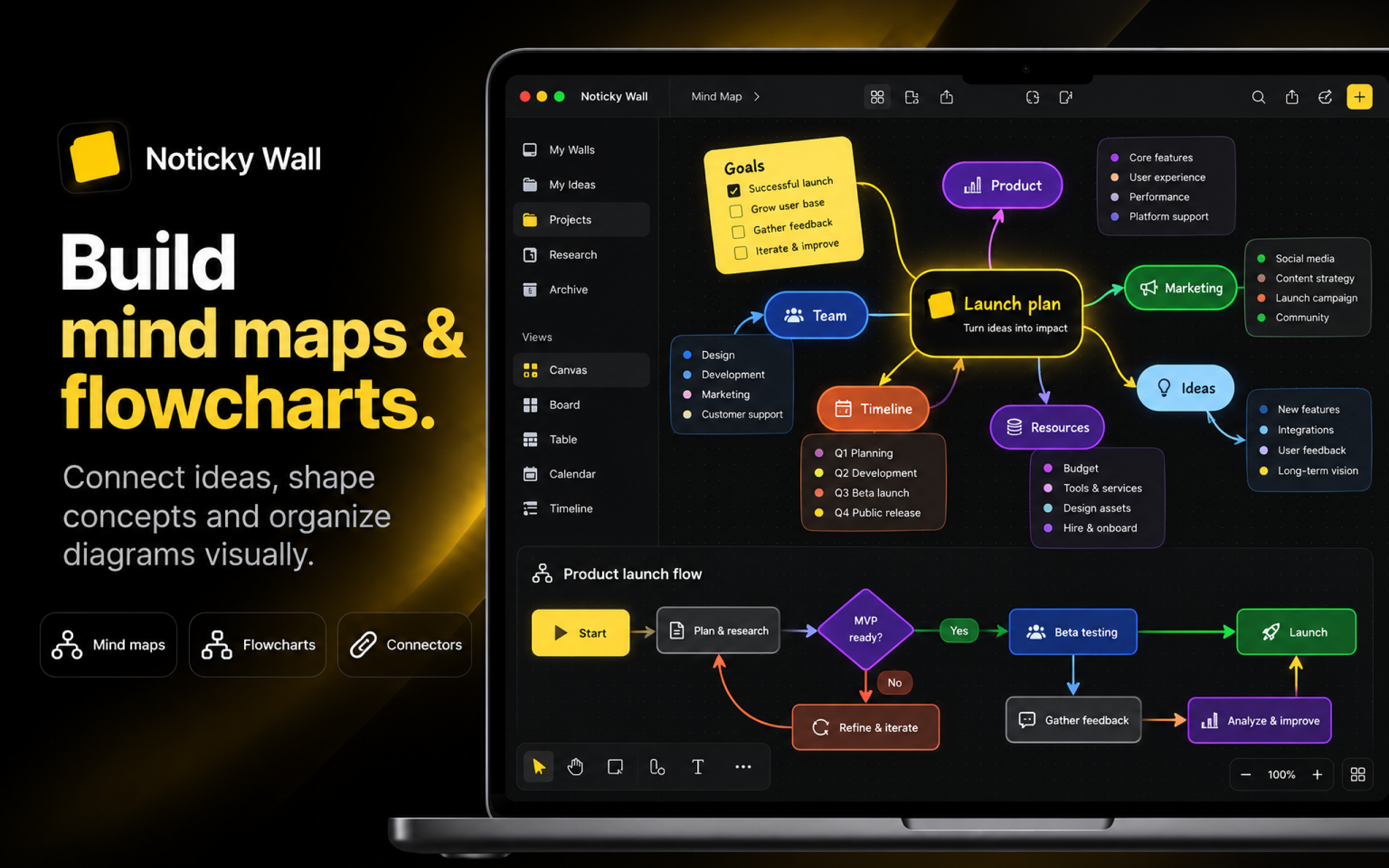
You can create notes, mind maps, flowcharts, task boards, tables, calendars, timelines, and other visual structures without being locked into a rigid document or project-management format.
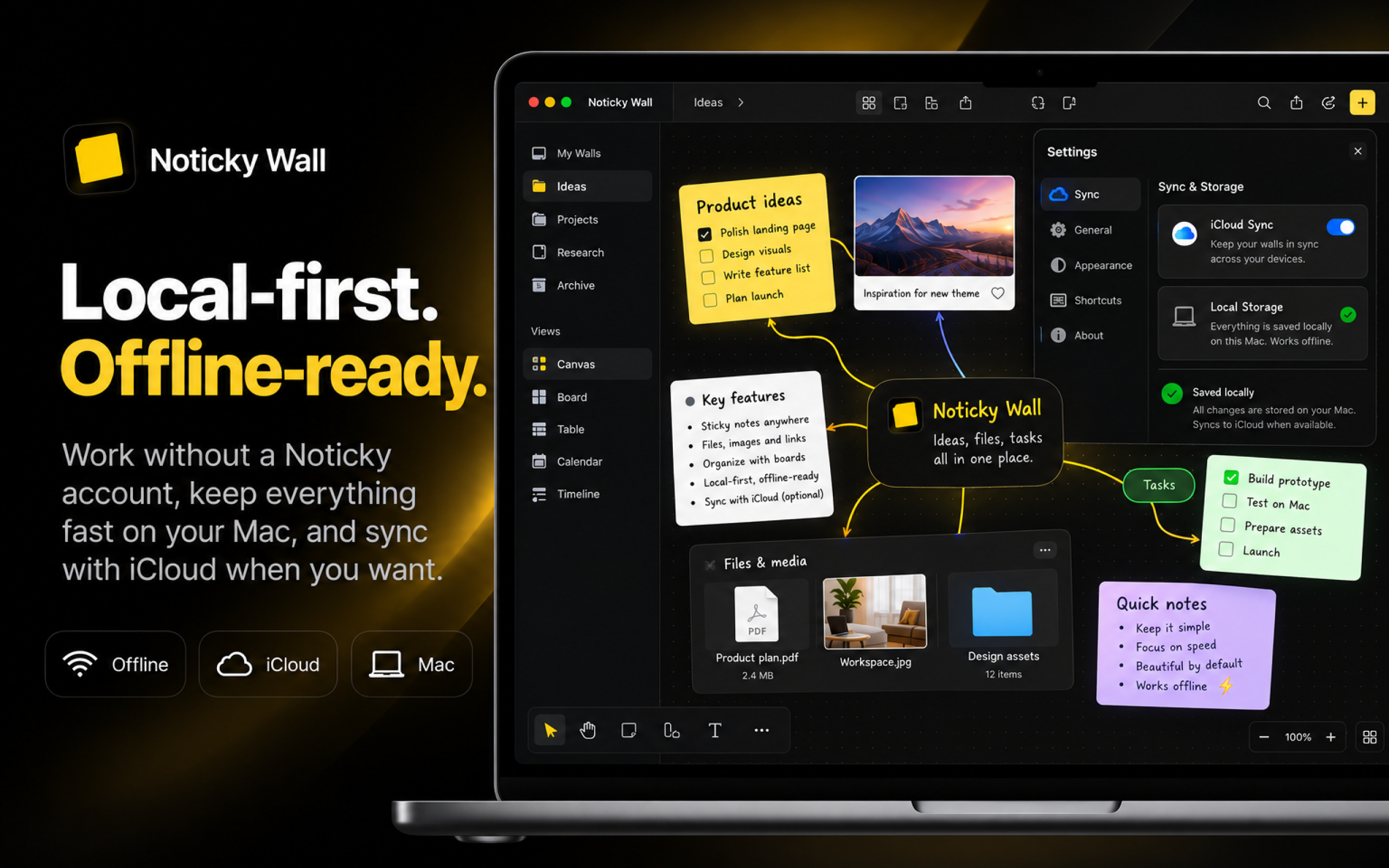
The Mac app is designed as the primary Noticky Wall experience. Your workspace can stay local on your Mac, works offline, and can take advantage of desktop-specific workflows such as local files, multiple windows, split workspaces, imports, media notes, and watched folders.
For users who want access across devices, Noticky Cloud can extend the experience with cloud-based storage and synchronization.
Who Noticky Wall is for
Noticky Wall is designed for indie founders, developers, designers, creators, students, and small teams who want a flexible visual workspace without enterprise-level complexity.
It is especially useful for people who work across many different types of information — ideas, screenshots, files, tasks, research, diagrams, plans, and references — and want one place to connect everything visually.
If you prefer a rigid, process-heavy project management system built around large organizations, Noticky Wall may not be the right fit.
Pricing & access
Noticky Wall for Mac is available as a $39.99 one-time purchase.
There is no subscription required to use the desktop app.
A free web version is also available, giving you an easy way to experience Noticky Wall and start using the infinite canvas directly from your browser before moving to the full desktop experience.
Noticky Cloud is available separately for users who want cloud features and access beyond a purely local workflow.
Key features
- Native Mac infinite canvas.
- Works offline with local-first workspaces.
- Notes, mind maps, flowcharts, tasks, and visual planning.
- Boards, Tables, Calendars, and Timelines.
- Multiple windows and Split Workspace on Mac.
- Move, copy, or reference content between spaces.
Quick answers
What is Noticky Wall?
Noticky Wall is a native Mac infinite canvas for organizing ideas, notes, files, tasks, diagrams, projects, and visual knowledge in one flexible workspace.
A free browser version is also available, but the Mac desktop app provides the complete Noticky Wall experience.
Is Noticky Wall a web app?
Not primarily.
Noticky Wall has a free web version that lets you use the core infinite canvas from a browser, but the main product is the native Mac desktop app.
The desktop version adds offline access, local-first storage, native Mac workflows, local file integration, multiple windows, Split Workspace, imports, media tools, and other desktop-specific capabilities.
Who is Noticky Wall for?
Noticky Wall is built for indie founders, developers, designers, creators, students, and small teams who want to organize complex ideas and projects visually without adopting a heavyweight enterprise tool.
How much does Noticky Wall cost?
Noticky Wall for Mac costs $39.99 as a one-time purchase.
The web version is free to use, so you can try the Noticky Wall workflow in your browser before purchasing the desktop app.
Does Noticky Wall work offline?
Yes. The Mac app is designed to work with local workspaces and can be used without an internet connection.
Cloud functionality is optional rather than a requirement for using the desktop app.
Is Noticky Wall worth trying?
If you like visual tools such as infinite canvases, whiteboards, mind-mapping apps, or visual knowledge-management tools but want something more personal, local-first, and Mac-focused, Noticky Wall is worth trying.
You can start with the free web version to understand the core canvas experience, then move to the Mac app when you want the complete desktop workflow.