
Introduction
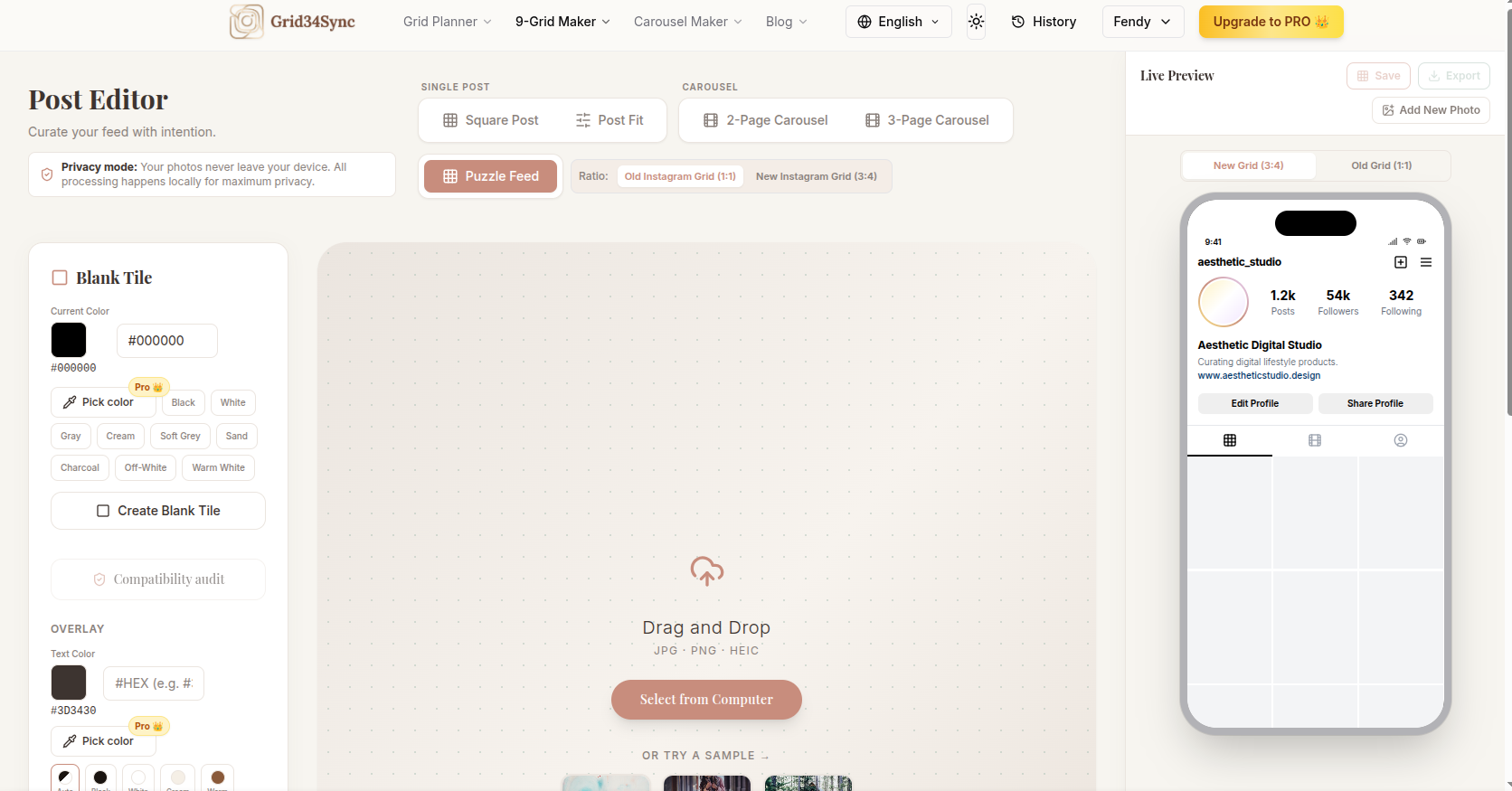
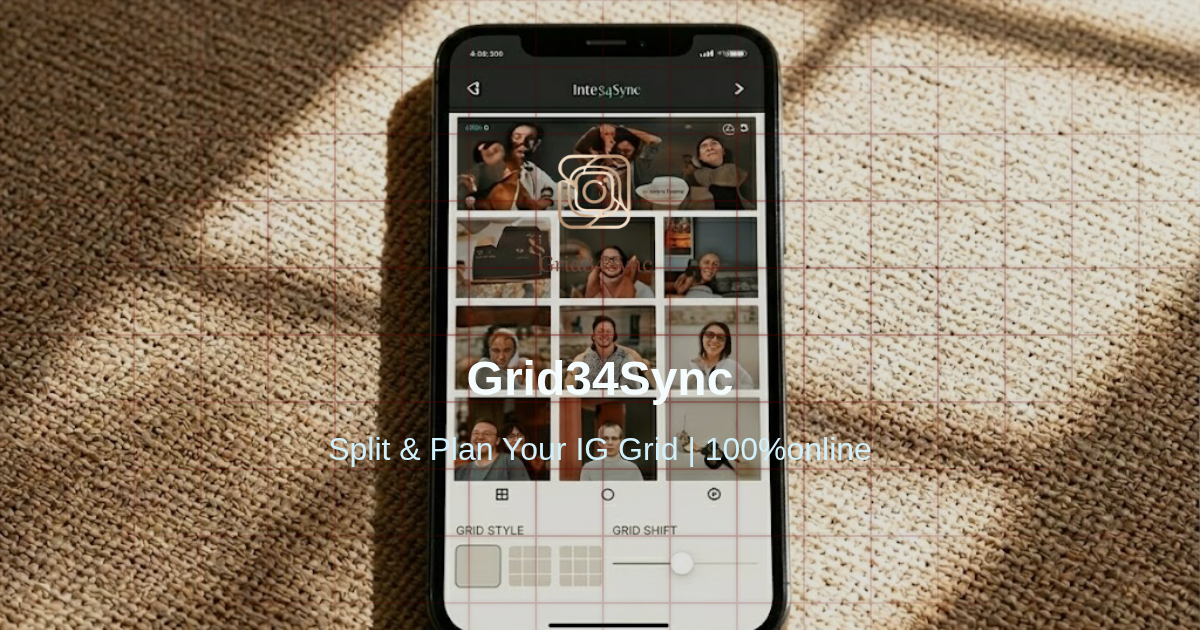
GRID34SYNC is an Instagram grid planner built for creators, brands, and visual marketers who want to preview a feed before publishing. The public site presents it as a browser-based tool for checking Instagram's newer 3:4 profile layout, comparing it with classic square previews, and preparing carousel or 9-grid content without uploading images to a server.
The clearest value is practical: it helps users catch awkward cropping, reorder posts, and test visual patterns before content goes live. It is especially relevant for people who care about how a profile looks as a whole, but users should still verify export limits, account requirements for Pro, and any current Instagram layout changes before making it part of a regular publishing workflow.
Key Features
- 3:4 and 1:1 Instagram grid preview modes for checking how posts may appear in the newer taller profile layout and the older square-style view.
- Feed planning tools that let users arrange images, compare styles, and review the overall profile look before publishing.
- Carousel splitting for turning a wide image into aligned slides that can be checked against the broader grid.
- Instagram 9-grid and puzzle-feed creation for campaigns, portfolio-style layouts, and visual storytelling.
- Browser-based image processing, with the site stating that photos stay on the user's device and do not require server upload.
- Support for common image formats listed on the site, including JPG, PNG, and HEIC, plus browser session saving in the plan details.
Use Cases
GRID34SYNC fits creators who want to avoid publishing one post at a time without knowing how the full profile will look. A photographer, designer, small brand, or social media manager can use the Instagram grid planner to preview spacing, crop zones, and post order before committing changes to an Instagram feed.
The carousel splitter is useful when one wide visual needs to become several aligned slides. That use case appears most relevant for panoramic images, campaign graphics, product announcements, or storytelling posts where each slide needs to stand alone while still fitting the larger profile style.
The 9-grid and puzzle-feed tools are better suited to planned visual moments rather than everyday posting. The site specifically connects this workflow with launch campaigns, portfolio feeds, and bold visual storytelling, so it appears most useful when a user wants a coordinated grid rather than a quick single-image edit.
Pricing
GRID34SYNC offers free core preview features with no account required, according to the public copy. The pricing page lists a Pro Lifetime plan at US$9.90 as an early-bird lifetime access offer, with Pro features such as watermark removal, unlimited carousels beyond three pages, HD export, ZIP batch export, and an advanced eyedropper color picker. The pricing page also mentions a 7-day free trial before the one-time charge, while stating that sales are final after the charge is processed, so buyers should review the current terms before upgrading.
User Experience and Support
The product appears designed around a lightweight browser workflow: upload or choose images, arrange the feed, preview the grid, adjust crops, and export when ready. The public page emphasizes no app download, no required account for core use, and local browser processing, which should appeal to users who want a quick visual planning tool rather than a full social media management suite.
Support signals are present through site navigation and educational resources rather than a heavily documented developer-style help center. The site includes blog links, grid size guidance, layout ideas, Instagram 9-grid guidance, carousel guidance, legal pages, contact navigation, and FAQ sections. A careful user should check the current contact page and terms if they need billing help, refund clarification, or support for a Pro account.
Technical Details
GRID34SYNC runs in the browser and the site states that crop adjustments and image splitting are processed locally. That matters for users who do not want to upload draft visuals just to test a layout, although readers should treat the claim as the site's own description rather than an independent technical audit.
Visible technical details include support for JPG, PNG, and HEIC files, 3:4 and 1:1 preview modes, carousel splitting, 9-grid creation, ZIP batch export for Pro users, HD export for Pro users, and session saving in the browser. The public evidence does not show an API, team collaboration system, scheduler, Instagram publishing integration, or analytics dashboard, so users looking for those capabilities should verify before relying on the tool.
Pros and Cons
Pros
- Focuses on a specific visual problem: previewing Instagram grids before posts are published.
- Supports the newer 3:4 profile layout as well as the classic 1:1 grid view.
- Includes related creative tools for carousels, 9-grid layouts, and puzzle-feed planning.
- The public page says image processing happens locally in the browser with no server upload required.
- Free core access and visible Pro pricing make the basic cost structure easier to evaluate.
Cons
- The site does not show evidence of direct Instagram publishing or scheduling, so it should be treated as a planning and export tool.
- Advanced export options such as watermark-free output, HD files, and ZIP batch downloads appear tied to the Pro plan.
- The lifetime pricing is described as an early-bird rate, so readers should confirm whether the offer is still current.
- Public technical information is focused on browser behavior and formats, not deeper infrastructure or integration details.
- Users with team approval workflows or analytics needs may need a separate social media management product.
FAQ
What is GRID34SYNC used for?
GRID34SYNC is used to preview and plan an Instagram grid before publishing. The site presents it as a tool for checking the newer 3:4 profile layout, arranging posts, avoiding awkward crops, and preparing grid-based visual content.
Who is GRID34SYNC best suited for?
It appears best suited for creators, designers, social media managers, small brands, and portfolio-focused users who care about feed composition. It is less clearly suited for teams that need scheduling, analytics, approval workflows, or direct publishing unless those features are added or confirmed elsewhere.
Can GRID34SYNC preview the new 3:4 Instagram profile layout?
Yes. The public page specifically highlights support for Instagram's newer 3:4 profile layout and lets users compare it with the older 1:1 square-style view. That is one of the product's main visible use cases.
Does GRID34SYNC upload my photos to a server?
The site states that photos stay on the user's device and that crop adjustments and image splitting are processed locally in the browser. Users handling sensitive brand assets should still review the current privacy policy and terms before using any web-based image tool.
What image and export features are visible on the site?
The site lists JPG, PNG, and HEIC support, grid previewing, carousel splitting, 9-grid creation, browser session saving, standard export, and Pro export options such as HD quality, watermark removal, and ZIP batch download.
Is GRID34SYNC free or paid?
The core preview features are presented as free to use with no account required. The Pro Lifetime plan is shown at US$9.90 on the pricing page, with additional export-related features and a 7-day free trial before the one-time charge.
Can GRID34SYNC replace a social media scheduling tool?
The visible evidence does not show scheduling, post publishing, analytics, or account management features. It is better understood as an Instagram grid planning and image-preparation tool unless the product site later adds or documents broader social media management capabilities.
What should users verify before upgrading to Pro?
Users should confirm the current Pro price, trial terms, refund policy, watermark rules, export quality, device login behavior, and whether the listed lifetime access terms still match their needs. This matters because the page describes the price as an early-bird rate and includes specific conditions around the trial and final charge.
Conclusion
GRID34SYNC offers a focused way to plan Instagram visuals before they go live, especially for users adapting to the 3:4 profile layout or preparing carousel and 9-grid content. Its strongest fit is visual planning rather than full social media management, and the public site gives enough pricing and feature detail for users to decide whether the free version is enough or whether the Pro export options are worth checking.