
Introduction
VELOCE AI markets itself as an AI-assisted download manager for Windows, positioned as a lower-cost alternative to classic tools such as Internet Download Manager. The public page emphasizes real-time connection adaptation, a built-in Chromium browser, parallel segment downloads, and media capture without browser extensions. Windows users comparing one-time license download utilities should verify platform support, trial terms, and how "AI acceleration" behaves on their own network before purchasing.
Key Features
- AI-accelerated downloads: The site describes automatic optimization that learns network patterns and adapts in real time, with no manual tuning required.
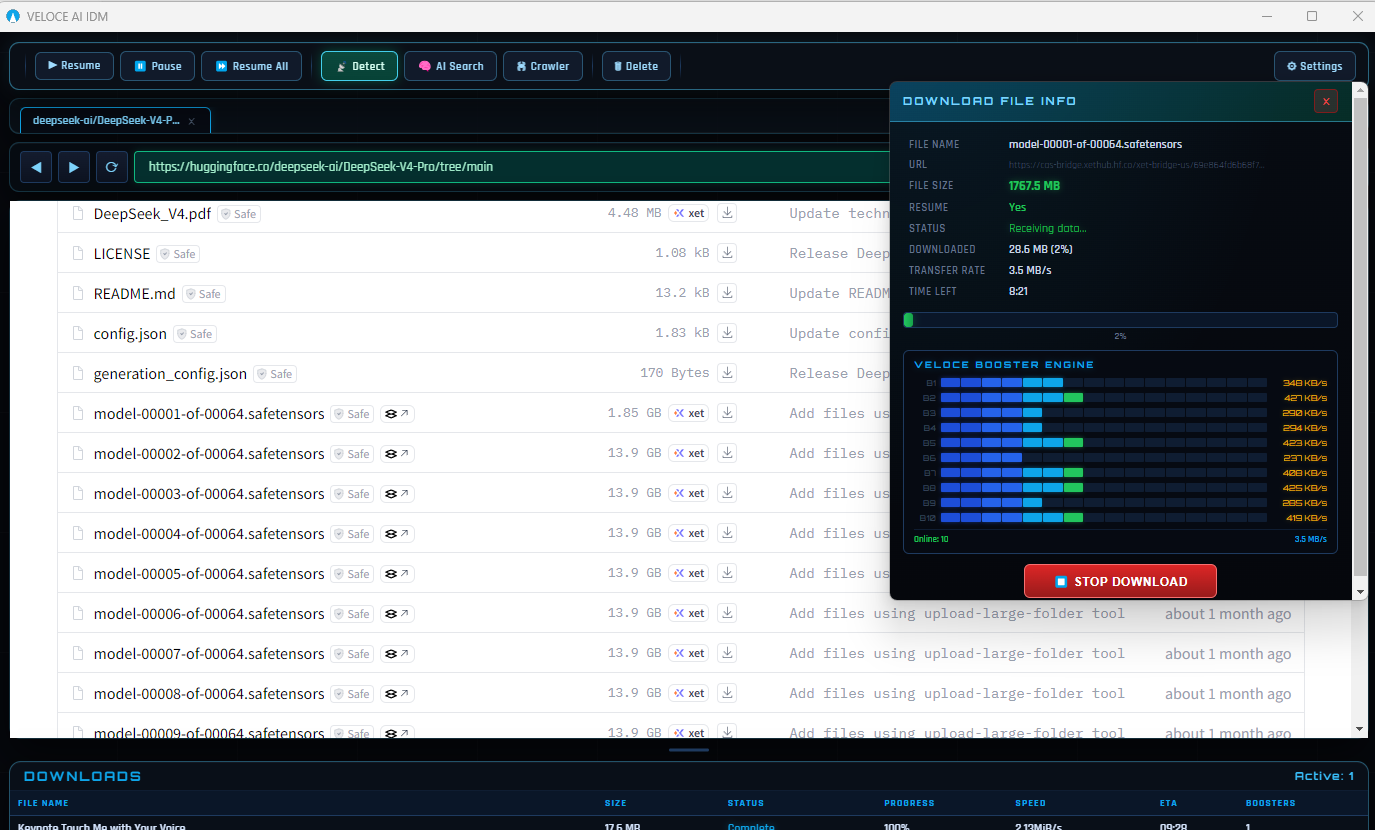
- Multi-connection engine: Files can be split into segments downloaded in parallel, with up to 32 simultaneous connections advertised for throughput.
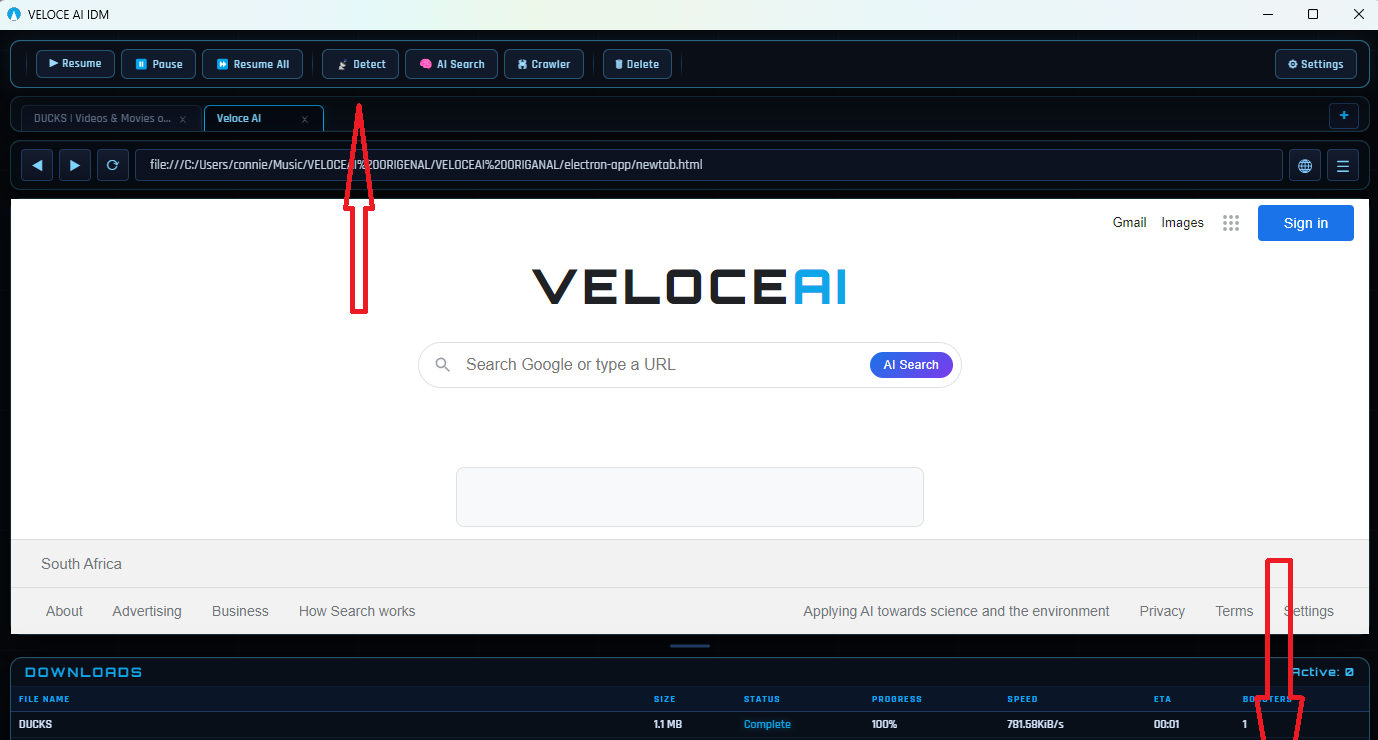
- Built-in Chromium browser: Browse, discover files, and download inside one application without switching browsers or installing extensions.
- Media manager: Download and organize web video and audio, with copy stating downloadable media can be detected while you browse.
- One-click downloads: Multi-threaded management and parallel chunk assembly are highlighted for faster completion after a single action.
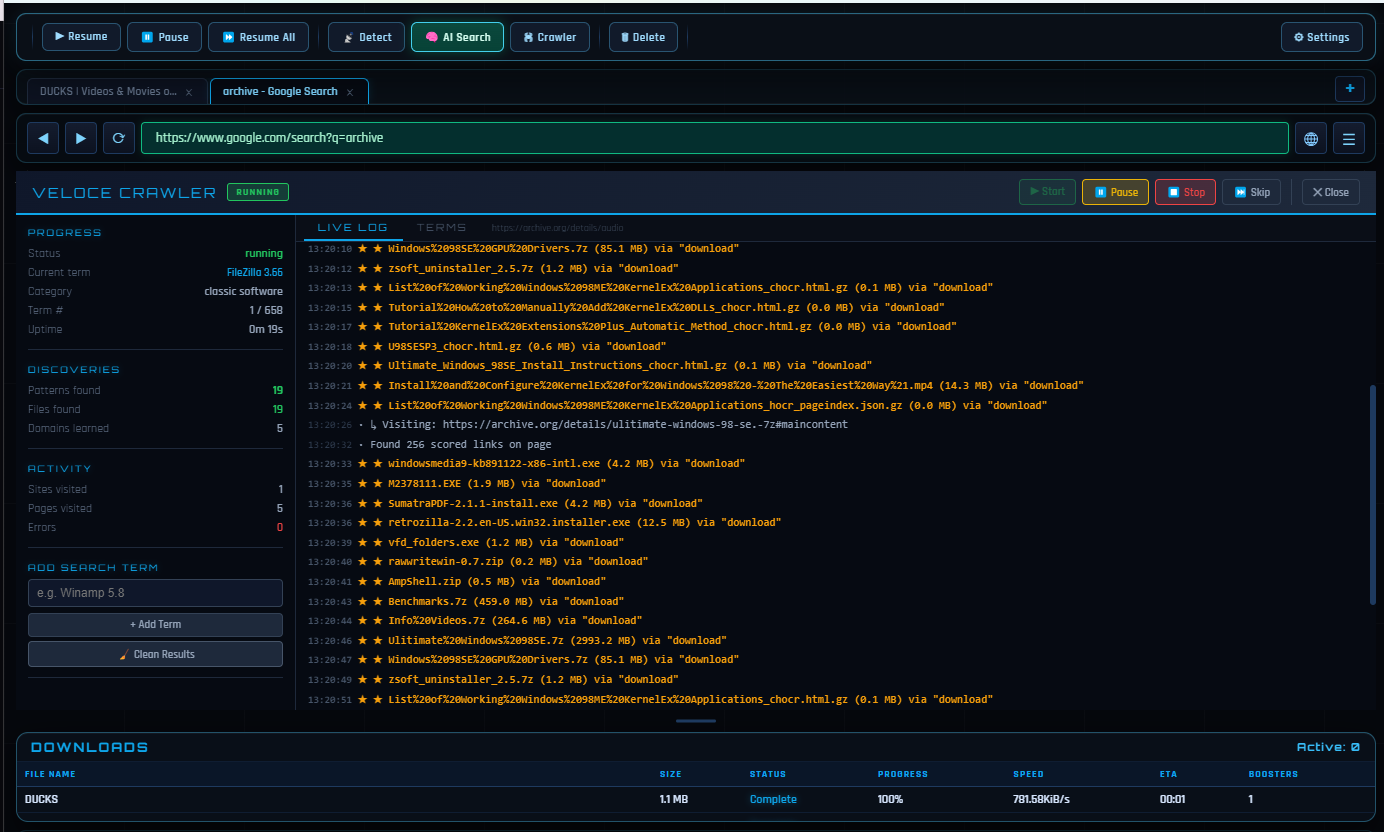
- AI File Finder: Locates files across public archives, repositories, and indexed web repositories, including legacy archives and developer binaries according to on-page text.
- Format compatibility: Marketing states support for major media formats and a wide range of file types for local playback.
Use Cases
Heavy downloaders on Windows who want segmented parallel transfers may use VELOCE for large files where a dedicated manager replaces the browser's default behavior. The integrated browser flow suits users who frequently grab media from pages and prefer not to copy links manually.
Developers or researchers searching public repositories might try the AI File Finder for locating binaries or archives the site claims general search engines miss-though results and legality of sources remain the user's responsibility. The IDM comparison and "Try Free - 3 Days" callouts suggest evaluators coming from traditional download managers.
Pricing
The homepage advertises $5 one-time for a lifetime license with all future updates included, and explicitly states no subscriptions or hidden fees. A Try Free - 3 Days option appears alongside Buy Now - $5. Confirm checkout details, refund policy, and whether the trial limits features on the download or pricing flow before paying.
User Experience and Support
Navigation includes Features, Pricing, Compare, Guide, and download CTAs, with copy promising "zero setup" relative to older download managers. A What Users Say section and Leave a Review links invite social proof; those quotes are site-published, not independently verified here.
The page mentions a VirusTotal scan with "65+ vendors" and "0 detections" as a trust signal. Dedicated documentation, ticketed support, or contact channels were not prominent on the single fetched homepage-buyers with support needs should look for help links inside the installer or post-purchase materials.
Technical Details
Structured data and page copy describe Windows 10 and Windows 11 support and an AI-powered download manager with built-in Chromium browser. Technical mentions include up to 32 parallel connections (also referred to as tunnels in meta description), media downloads, and intelligent file search. No public API, macOS/Linux builds, or enterprise deployment options were visible on the fetched page.
Pros and Cons
Pros
- Low advertised one-time price compared with long-running subscription models some competitors use.
- Combines browser, media detection, and download acceleration in one Windows app.
- Parallel connection cap (32) is clearly stated for throughput-oriented users.
- Lifetime updates included in the listed license bundle.
- Free trial window (3 days) visible for hands-on evaluation before purchase.
Cons
- Only Windows is listed; other operating systems are not supported per visible copy.
- Speed and "AI" benefits will vary by ISP, server, and content source-the site does not publish benchmark data on the fetched page.
- AI File Finder implications for copyright and acceptable use are not detailed; users must judge source legitimacy.
- Support and documentation depth were not evident from homepage evidence alone.
FAQ
What is VELOCE AI?
The public site describes it as an AI-powered download manager for Windows with built-in Chromium browsing, media downloads, multi-connection acceleration, and an AI File Finder for public archives and repositories.
How does VELOCE AI compare to IDM?
The homepage positions VELOCE as a "$5 IDM alternative" with AI adaptation and modern features such as a built-in browser. Detailed comparison content appears to live on a dedicated "VELOCE vs IDM" page linked from the site-read that page for feature-by-feature claims.
Is there a free trial?
The main page shows Try Free - 3 Days next to the paid download option. Confirm trial scope and whether a license key is required by following the current download flow.
What does the $5 payment include?
Visible pricing states a $5 one-time lifetime license with AI-powered download acceleration, built-in browser, media downloads, up to 32 parallel connections, and all future updates included.
Which operating systems are supported?
Page signals specify Windows 10 & 11. No macOS or Linux support was mentioned on the fetched homepage.
What is the AI File Finder for?
According to the site, it locates files across public archives, repositories, and indexed web repositories, including legacy archives and developer binaries. Practical results will depend on what is publicly indexed and accessible.
Is the installer considered safe by third-party scanners?
The homepage cites a VirusTotal scan with 65+ vendors and zero detections at the time that claim was published. Re-scan the current installer yourself if security verification is important to your organization.
Conclusion
VELOCE AI presents a Windows-focused download manager with AI-branded acceleration, integrated browsing, and a one-time $5 license on veloceidm.com. It may fit users replacing legacy download tools who want parallel connections and in-app media capture, provided they validate trial terms, support options, and real-world speeds on their own connection.